VWAP Authority Chart
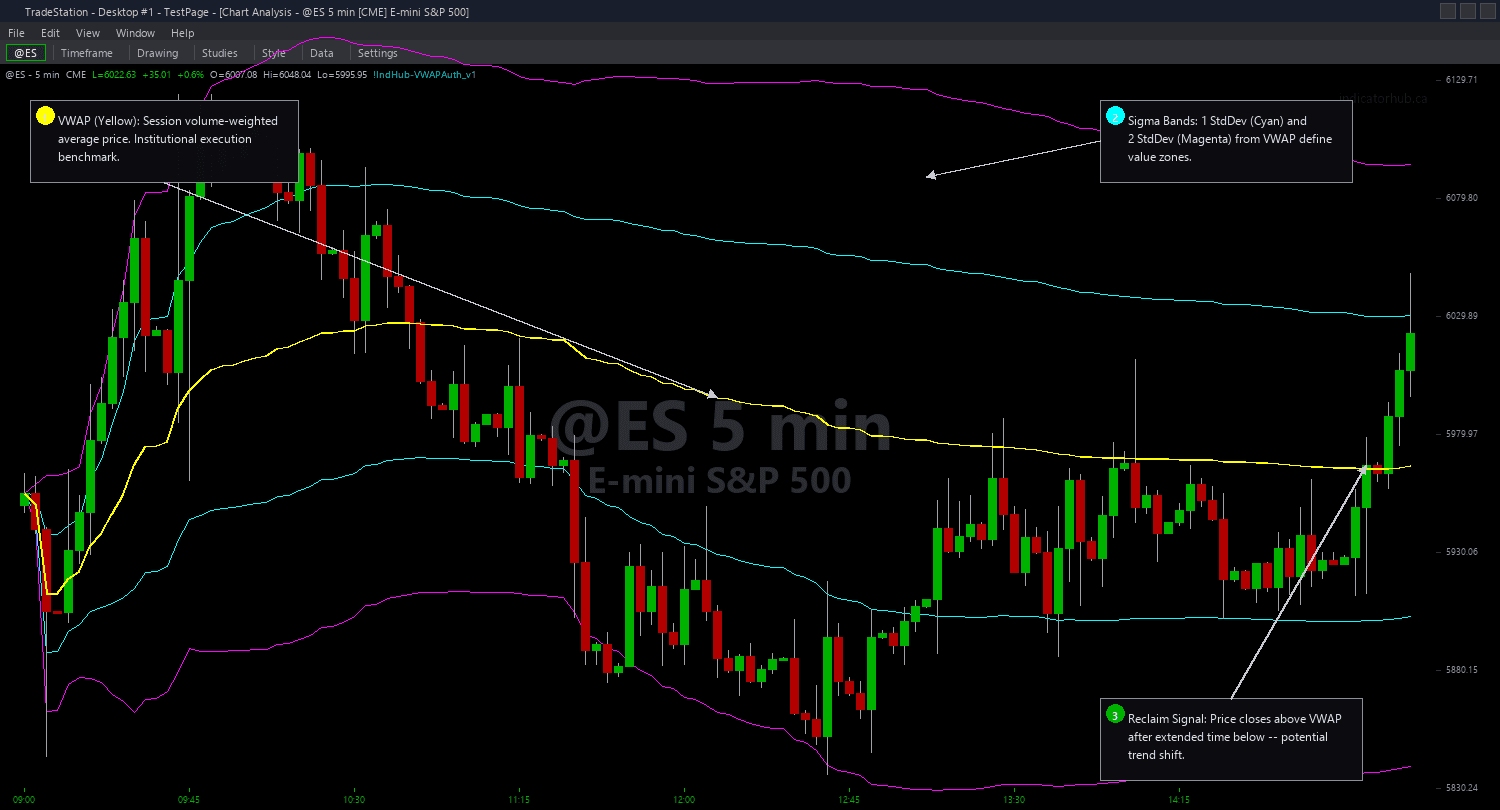
VWAP Authority Chart plots the volume-weighted average price directly on your chart as a yellow line, surrounded by four standard deviation bands: cyan Sigma1 bands at one standard deviation and magenta Sigma2 bands at two standard deviations. Together these five lines create a dynamic statistical envelope that shows you exactly where price sits relative to the session's volume-weighted mean.
The indicator includes two built-in alert signals. The Reclaim signal fires when price closes above VWAP after spending at least 10 consecutive bars below it, identifying the moment sellers lose control and buyers push back above fair value. The Rejection signal fires when price reaches the Sigma2 upper band but closes back below Sigma1, catching the classic mean-reversion setup where an overextended move fails at a statistical extreme.
VWAP resets at the start of each session (Daily, Weekly, or Monthly anchor). When volume data is not available, the calculation falls back to tick counts automatically. All plots default to the Close price until enough volume accumulates, so you never see misleading zero lines on your chart.
30-Day Money-Back Guarantee
Try it risk-free. Not satisfied? Full refund, no questions asked.
Part of the VWAP Authority Bundle
Get all 4 study types for $65 — save $30
Who This Is For
Apply VWAP Authority Chart to any intraday chart (5-minute recommended) on liquid instruments like index futures (ES, NQ), NASDAQ-100 stocks, or high-volume ETFs. Watch the yellow VWAP line for directional bias: when price stays above VWAP, the session is bullish and most participants are profitable. When price drops below, bearish pressure dominates.
Use the Sigma1 bands as normal trading range boundaries and Sigma2 as statistical extremes where mean-reversion setups have the highest probability. When you see the Reclaim alert fire after 10+ bars below VWAP, that is your signal that selling pressure is exhausted and a reversal may be underway. When the Rejection alert fires at Sigma2, institutions are likely taking profits and you should look for short entries or exit longs.
For swing trading, switch to a Weekly anchor to see where institutions view fair value for the entire week. Increase ReclaimBarsBelow to 20 for fewer but more significant signals.
See It in Action
Example chart showing VWAP Authority Chart on a live trading session
Installation Guide
Step 1: Download the indicator file
After purchasing, you will receive a download link via email. Click the link and save the .ELD file to your computer. Save it somewhere easy to find like your Desktop or Downloads folder.
Step 2: Open the Import Wizard
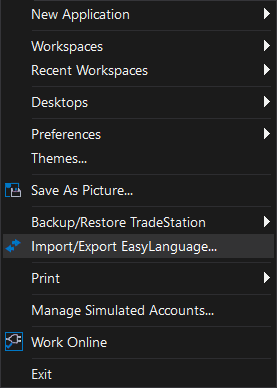
Open TradeStation. Click the File menu in the top-left corner, then select Import/Export EasyLanguage to launch the Import/Export Wizard.
Step 3: Select the import type
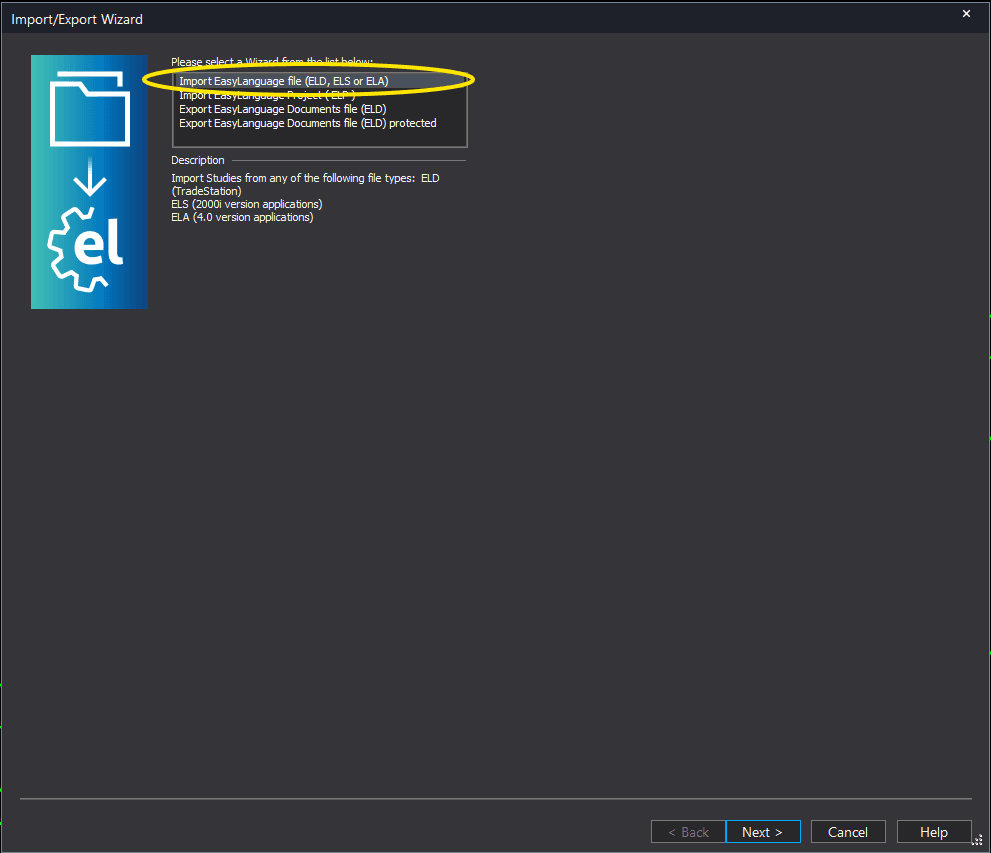
In the Import/Export Wizard, select "Import EasyLanguage file (ELD, ELS or ELA)" from the list. Click Next to continue.
Step 4: Browse for the file
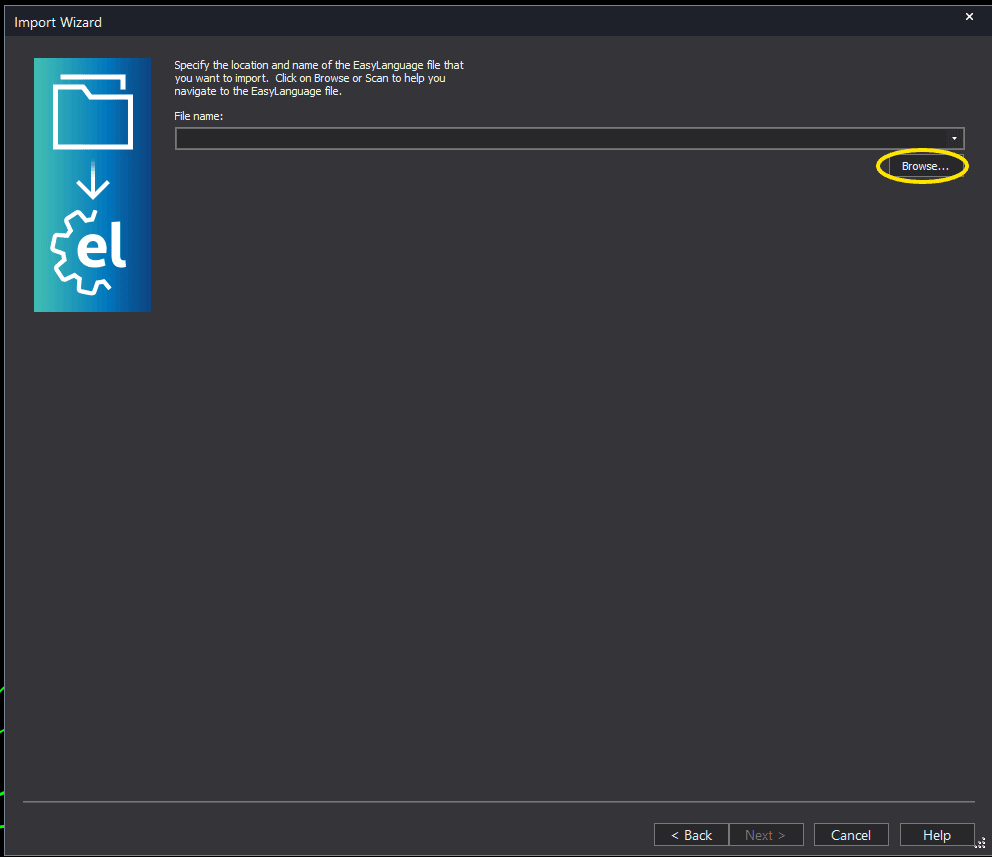
Click the Browse button to open a file browser where you can locate your downloaded .ELD file.
Step 5: Select and open the file
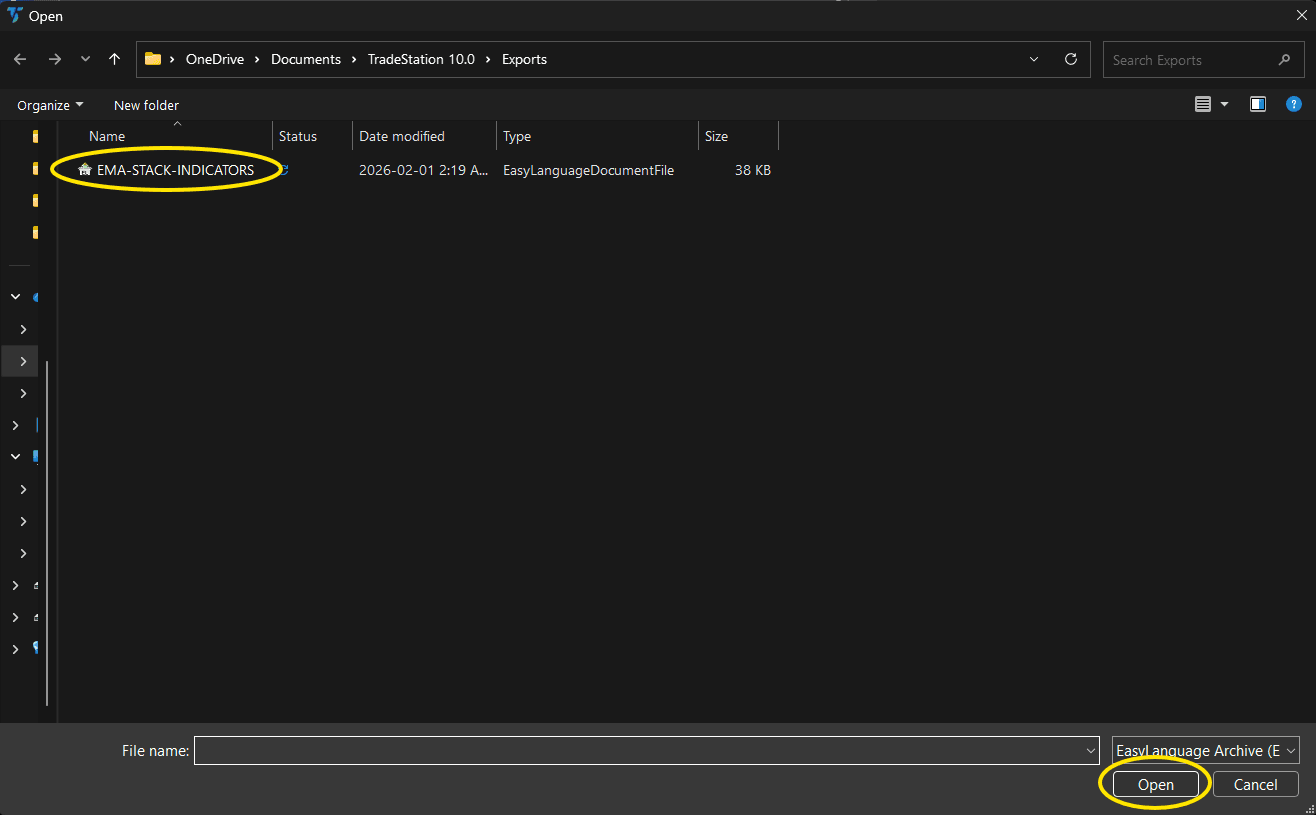
Navigate to the folder where you saved the .ELD file. Select vwap-authority-chart.eld and click Open.
Step 6: Open the Studies menu
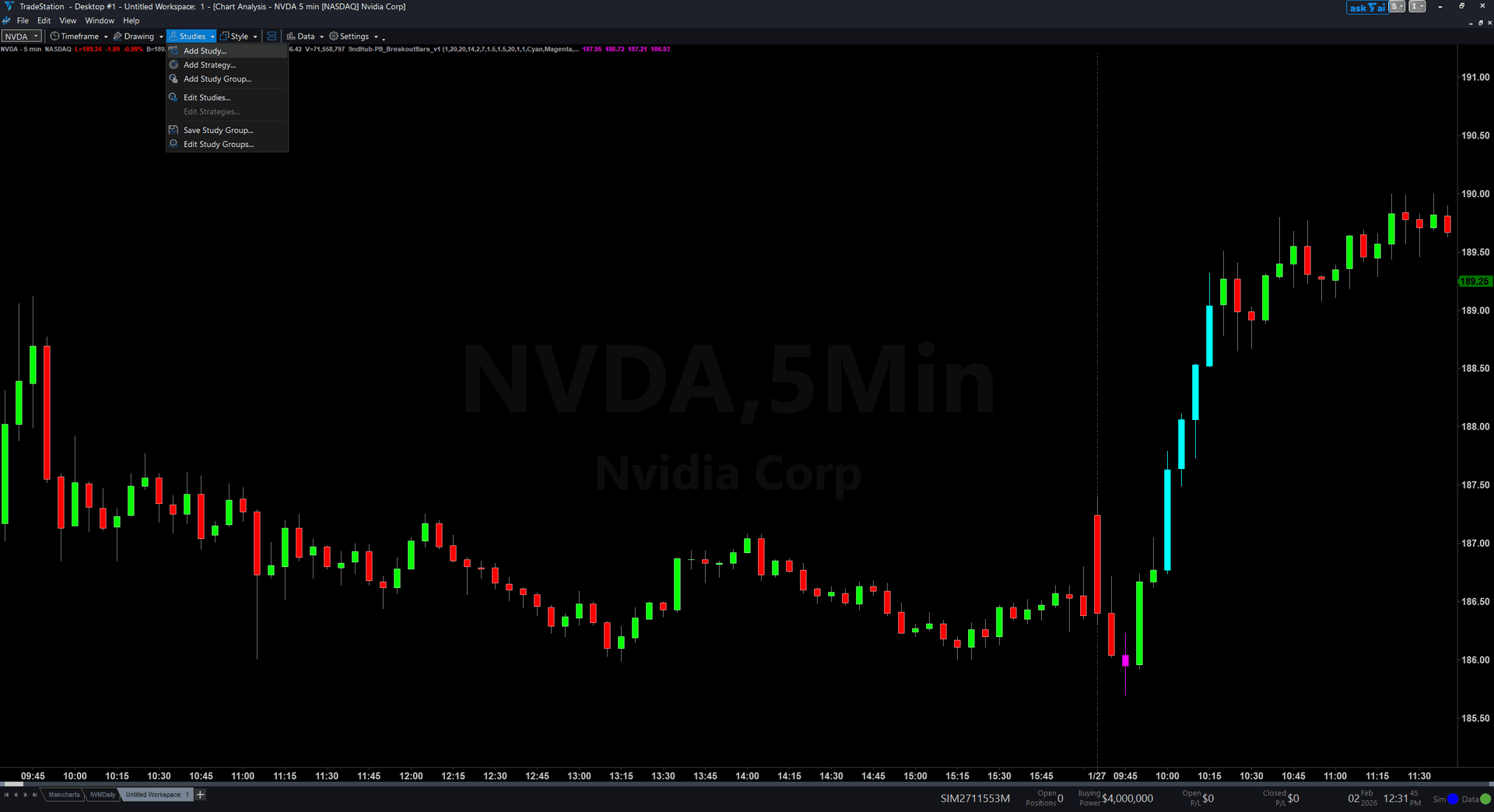
On your chart, click the Studies dropdown in the toolbar and select Add Study.
Step 7: Select the indicator
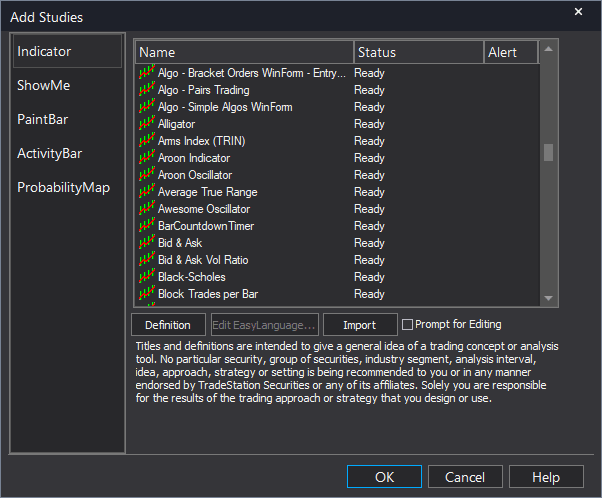
In the Add Studies dialog, make sure the Indicator tab is selected on the left side. Find "!IndHub-VWAPAuth_v1" in the list, select it, and click OK to apply.
Step 8: Configure settings (optional)
Right-click anywhere on the chart, go to Studies > Edit Studies..., select the indicator, and click the Inputs tab. Key settings: AnchorPeriod (1=Daily, 2=Weekly, 3=Monthly), Sigma1Mult (default 1.0), Sigma2Mult (default 2.0), ReclaimBarsBelow (default 10, min bars below VWAP before reclaim fires), AlertOnReclaim and AlertOnRejection (both default true). Most traders start with defaults.
Common Issues
No VWAP line or bands appearing on chart
Ensure the study is inserted as an Indicator, not a ShowMe or PaintBar. Verify you have at least one full session of data loaded on the chart and that volume data is available for the symbol.
VWAP line is at zero or far from price
This happens when volume is zero and the tick fallback also returns zero. Switch to a symbol or timeframe with reliable volume data.
No reclaim signals firing
The default requires 10 consecutive bars below VWAP before a reclaim qualifies. On higher timeframes this can take a long time. Lower ReclaimBarsBelow (try 5) for more frequent signals. Ensure AlertOnReclaim is set to true.
Bands are extremely tight early in the session
This is normal in the first few bars when variance is near zero. Wait 15-30 minutes for enough data to accumulate before relying on VWAP levels.
For additional help, contact support.