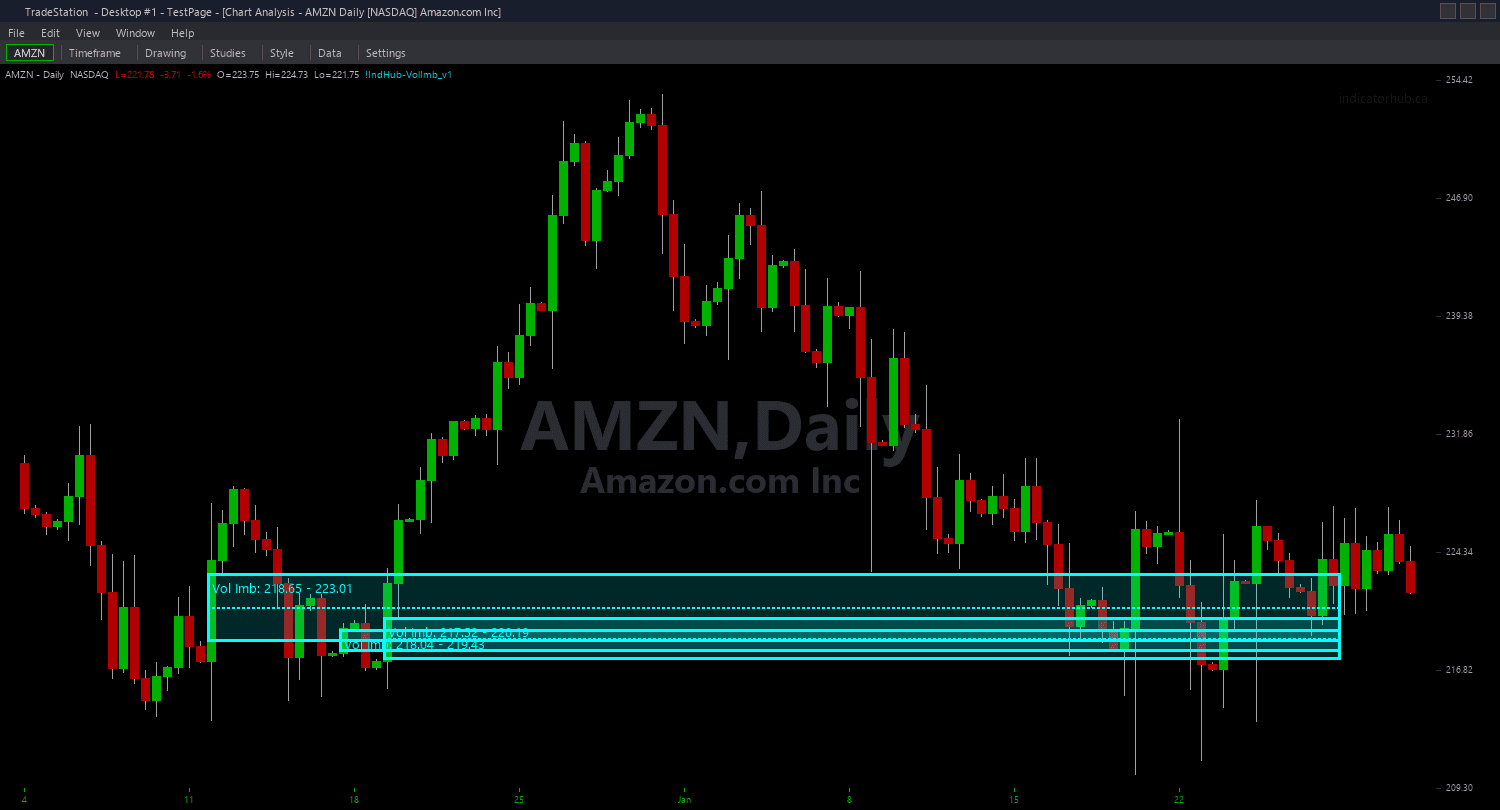
Volume Imbalance ShowMe
Volume Imbalance ShowMe marks the precision entry signal: the moment price touches the midpoint of an active Volume Imbalance zone. This represents the center of the body-to-body gap — the level where institutional rebalancing is most concentrated. Green dots appear when price touches the midpoint of a bullish demand gap. Red dots appear when price touches the midpoint of a bearish supply gap.
- ●Green dots ABOVE the bar mark bullish Volume Imbalance midpoint touches — the bar's range crossed the demand gap's center, signaling potential institutional buying interest
- ●Red dots BELOW the bar mark bearish Volume Imbalance midpoint touches — the bar's range crossed the supply gap's center, signaling potential institutional selling interest
- ●Optional text labels show the midpoint price level, zone boundaries with gap size in points, and gap age in bars with size as ATR multiple
- ●Midpoint touch fires ONCE per zone visit — if price exits the zone and returns later, a new signal fires on the next midpoint touch
- ●DotOffset (default 0.3 ATR) positions dots clear of the price bar for readability
- ●ShowTextLabels (default true) toggles data annotations on or off for cleaner charts
- ●PriceDecimals (default 2) controls decimal precision in labels — adjust for your instrument
The midpoint represents the equilibrium of the body-to-body gap. Because Volume Imbalances are rarer and more aggressive than FVGs, midpoint touches carry significant weight — the market is returning to the exact center of a level that was skipped entirely during an institutional momentum move.
All signals are guaranteed non-repainting. Once a dot plots on a completed bar, it stays.
30-Day Money-Back Guarantee
Try it risk-free. Not satisfied? Full refund, no questions asked.
Part of the Volume Imbalance Bundle
Get all 4 study types for $65 — save $30
Who This Is For
Volume Imbalance ShowMe is designed for traders who use the gap midpoint as their precision entry level. The midpoint represents the center of the institutional imbalance — the level most likely to attract a reaction.
Layer this study on top of the Volume Imbalance chart indicator. The chart indicator shows the full zone boundaries, and the ShowMe marks the exact bar when price touches the midpoint. The text labels provide immediate context: gap size, zone boundaries for stop placement, and age to assess freshness.
Use it on 1-minute to 15-minute charts for intraday trading. When a green dot appears, price has touched the midpoint of a bullish demand gap — evaluate for a long entry with a stop below the zone bottom. When a red dot appears, the inverse applies.
Adjust PriceDecimals to match your instrument (2 for stocks, 4 for forex, 0 for index futures). Works on any liquid market with sufficient intraday movement to produce body-to-body gaps. Because Volume Imbalance signals are inherently less frequent than FVG signals, each midpoint touch carries more weight as a setup.
See It in Action
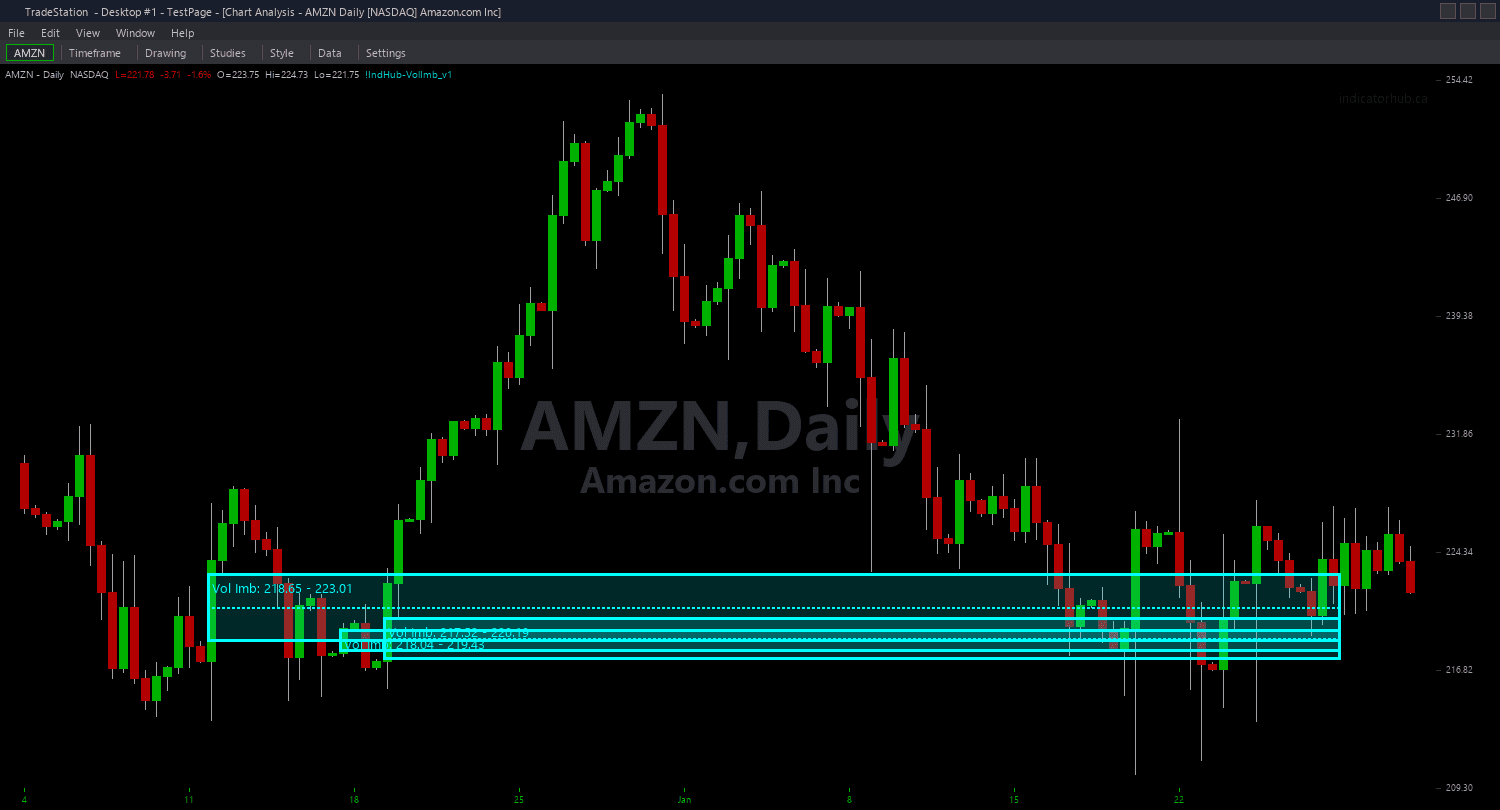
Example chart showing Volume Imbalance ShowMe on a live trading session
Installation Guide
Step 1: Download the indicator file
After purchasing, you will receive a download link via email. Click the link and save the volume-imbalance-showme.eld file to your computer. Save it somewhere easy to find like your Desktop or Downloads folder.
Step 2: Open the Import Wizard
Open TradeStation. Click the File menu in the top-left corner, then select Import/Export EasyLanguage to launch the Import/Export Wizard.
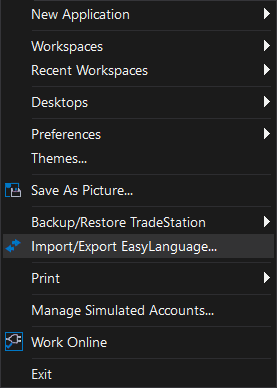
Step 3: Select the import type
In the Import/Export Wizard, select "Import EasyLanguage file (ELD, ELS or ELA)" from the list. Click Next to continue.
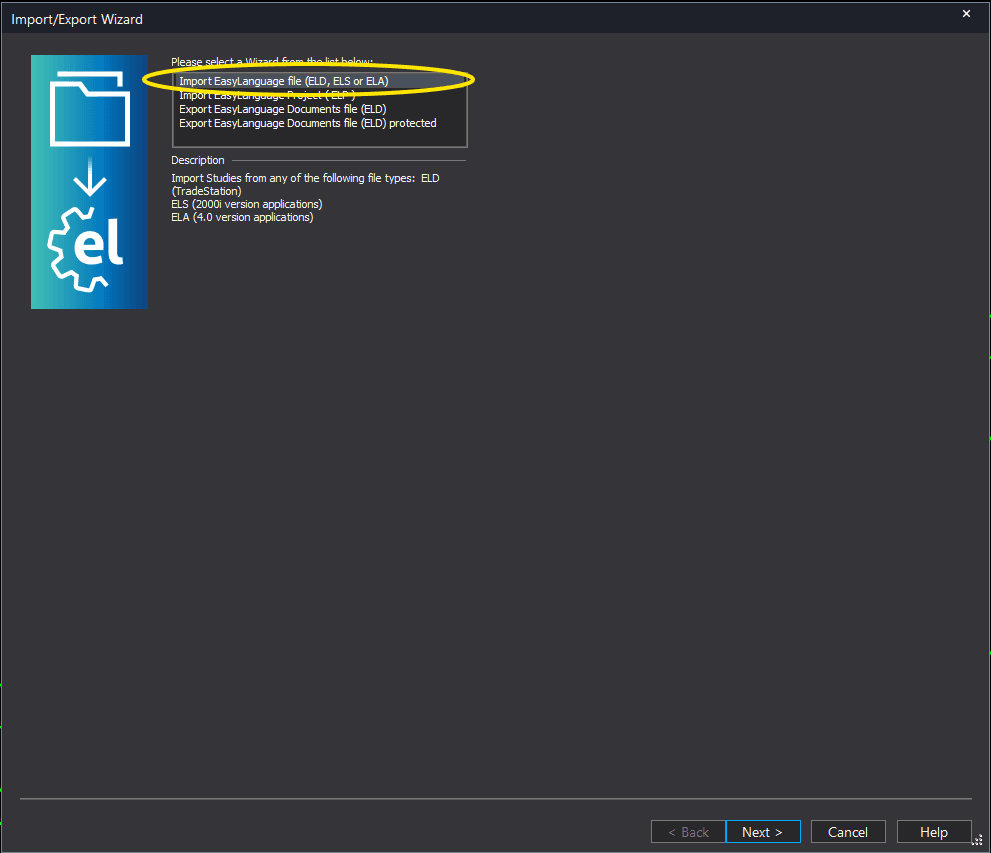
Step 4: Browse for the file
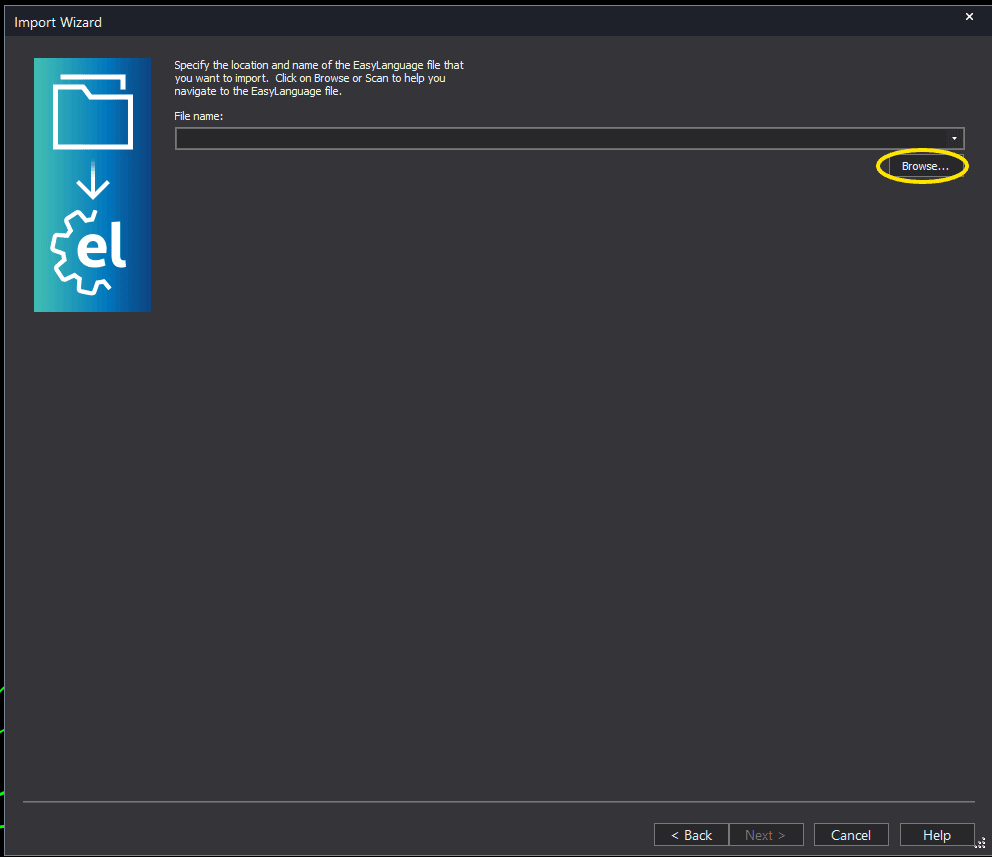
Click the Browse button to open a file browser where you can locate your downloaded .ELD file.
Step 5: Select and open the file
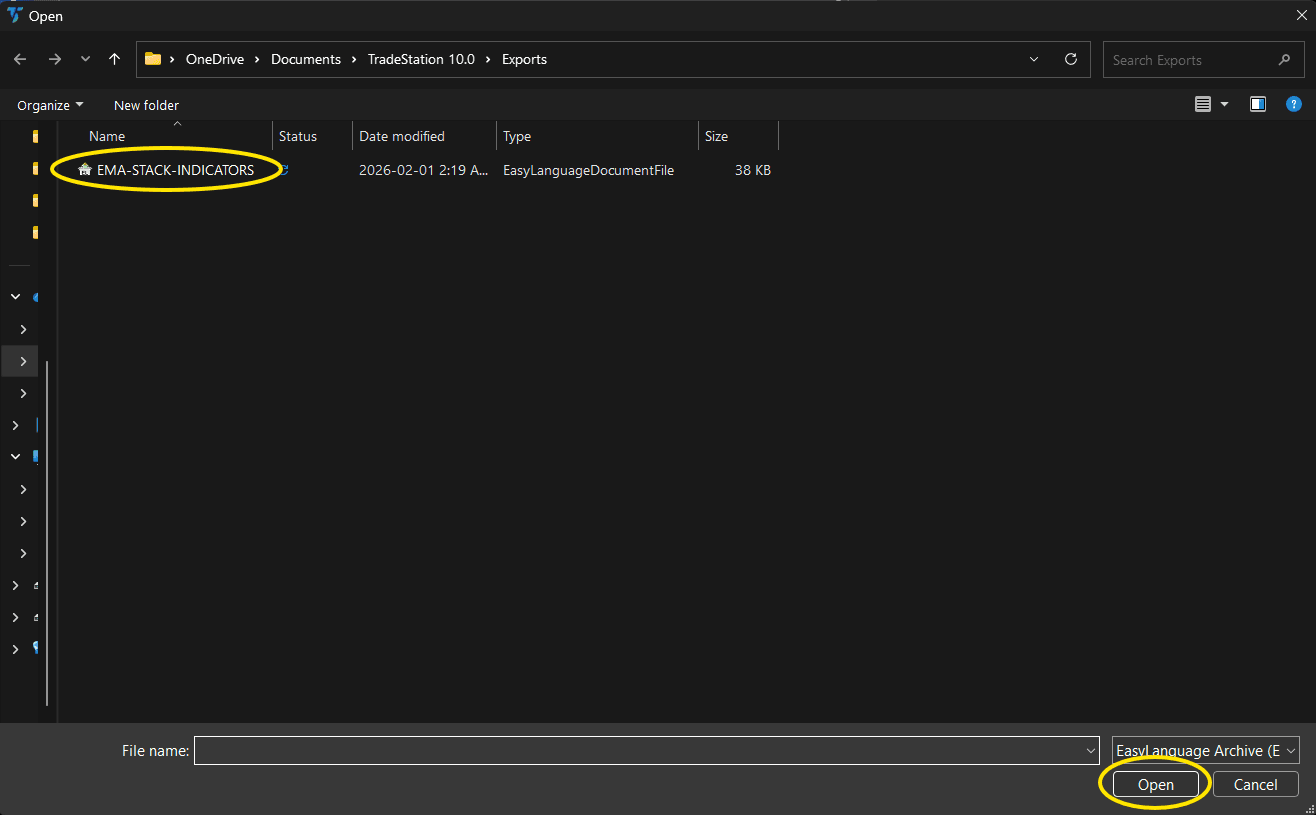
Navigate to the folder where you saved the .ELD file. Select volume-imbalance-showme.eld and click Open. The file name shown may differ from the screenshot — look for your downloaded indicator file.
Step 6: Open the Studies menu
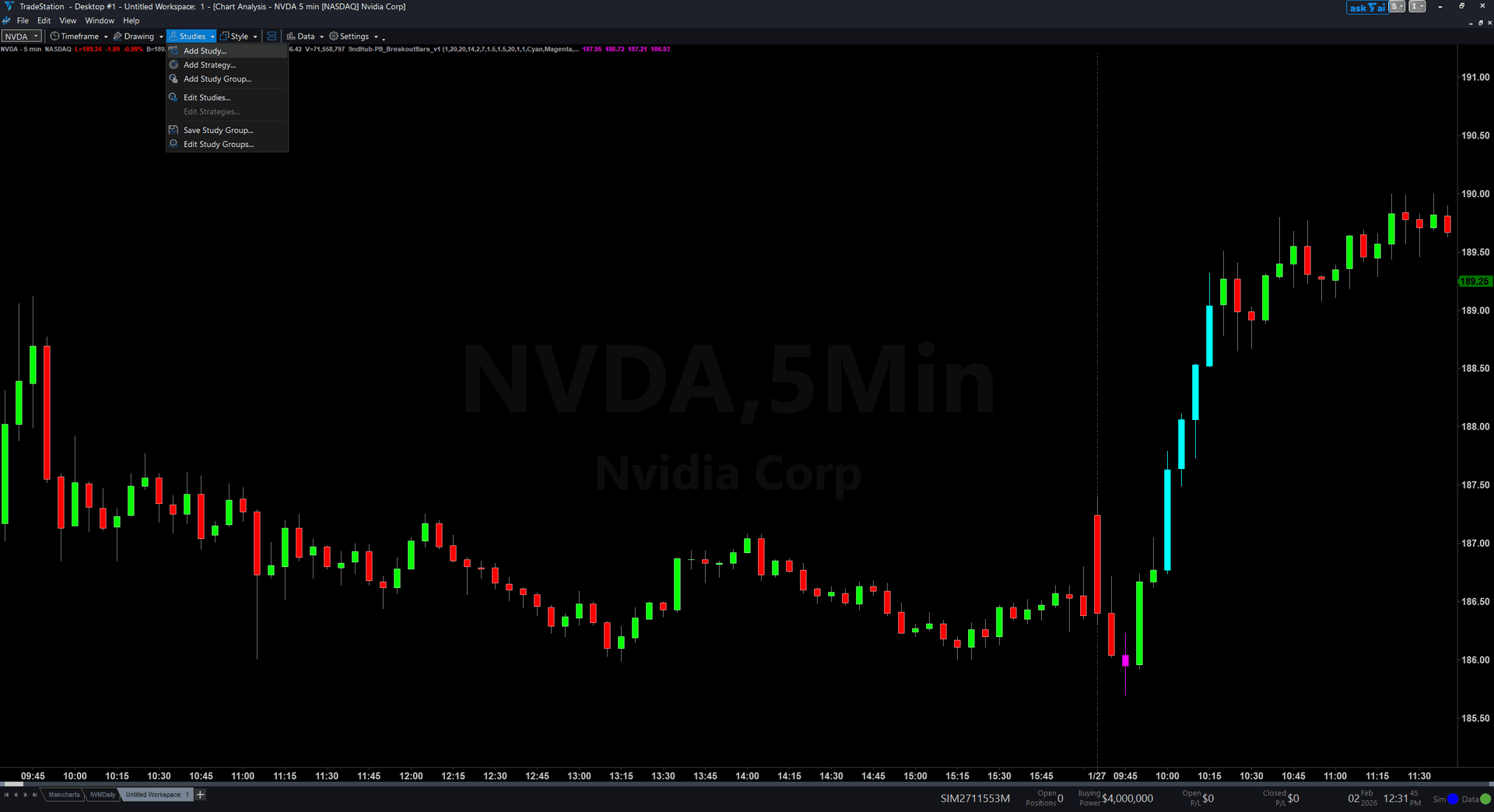
On your chart, click the Studies dropdown in the toolbar and select Add Study.
Step 7: Select the ShowMe study
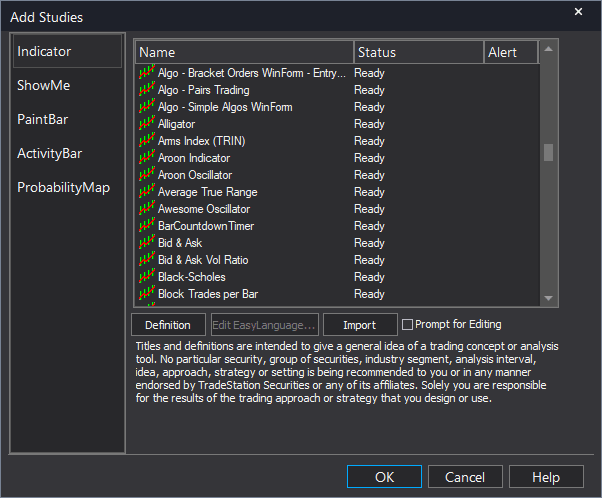
In the Add Studies dialog, click the ShowMe tab on the left side. Find "!IndHub-SM_VolImbalance_v1" in the list, select it, and click OK to apply.
Step 8: Configure settings (optional)
Right-click anywhere on the chart, go to Studies > Edit Studies..., select the indicator, and click the Inputs tab. Key inputs: MinGapATR (default 0.1), MaxAge (default 75), DotOffset (default 0.3 ATR), ShowTextLabels (default true), PriceDecimals (default 2, adjust for your instrument). For dot appearance, go to the Plots tab and set the plot style to Point with your preferred weight.
Common Issues
I see very few dots on my chart compared to the Fair Value Gap ShowMe.
Volume Imbalances are rarer than Fair Value Gaps because the body-to-body gap pattern is a more extreme condition. Fewer zones mean fewer midpoint touch signals. This is expected — each signal carries more weight. Lower MinGapATR to 0.05 to detect smaller body gaps, or accept the lower frequency as a feature of this higher-conviction pattern.
The text labels are cluttering my chart and overlapping each other.
Text objects accumulate as new midpoint touch signals fire. Remove and re-apply the study to clear old labels. Set ShowTextLabels to false for a cleaner view with only dots. Increase MinGapATR to reduce the total number of signals. Adjust DotOffset if labels overlap with candlesticks.
Price enters the Volume Imbalance zone but no dot appears.
This ShowMe triggers on midpoint touch, not zone entry. Price must reach the exact 50% level of the body-to-body gap — simply entering the zone edge is not enough. If the bar's range (Low to High) does not include the midpoint price, no signal fires. This is by design for precision entries. If you want signals on zone entry, use the PaintBar study instead.
For additional help, contact support.