Equal Highs & Lows RadarScreen
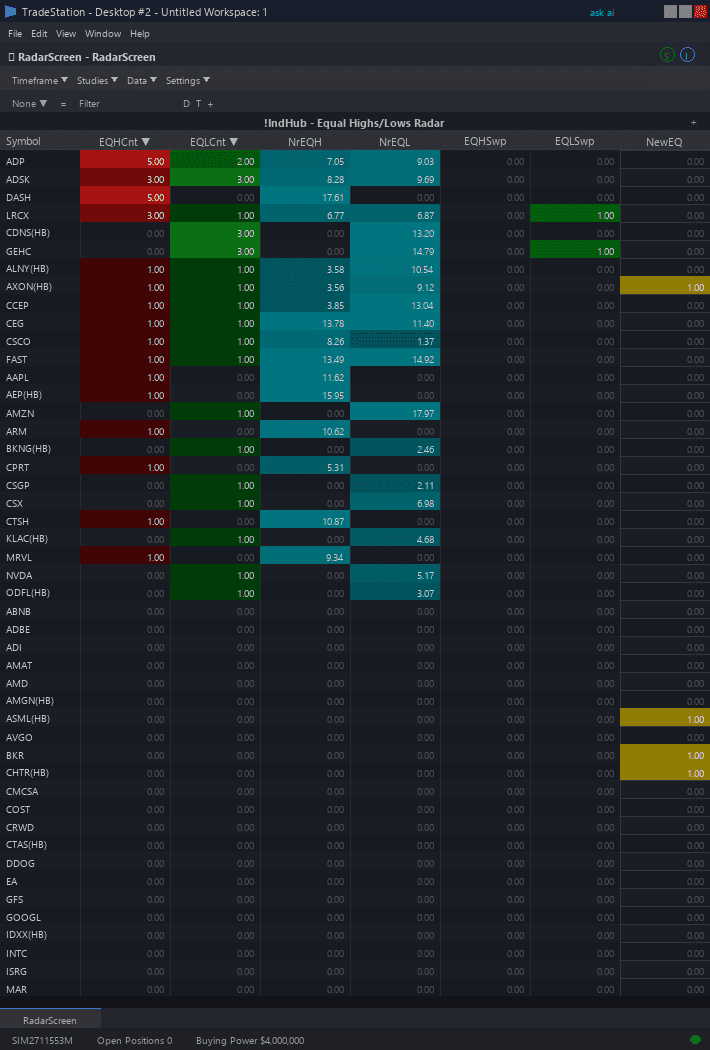
Equal Highs & Lows RadarScreen brings liquidity pool detection to your watchlist scanning workflow. Color-coded columns show which symbols have equal high/low levels, how close price is to those levels, and when sweep events occur — all across your entire watchlist simultaneously.
- ●EQHCnt and EQLCnt columns show how many active Equal Highs and Equal Lows exist for each symbol — red for EQH, green for EQL
- ●NrEQHDst and NrEQLDst show percentage distance to the nearest EQH and EQL levels — teal background when a level exists, cyan highlight when price is within 0.5%
- ●EQHSwept and EQLSwept columns flash amber when a sweep event occurs — price closed beyond an equal level, taking the liquidity pool
- ●SweptDir shows the direction of the most recent sweep: +1 for bullish sweep (EQL taken, potential reversal higher), -1 for bearish sweep (EQH taken, potential reversal lower)
- ●TotalActive shows the combined count of all active equal levels for each symbol — higher counts indicate more liquidity clusters nearby
Sort by NrEQHDst or NrEQLDst ascending to find symbols closest to an equal level — these are approaching potential sweep setups. Sort by EQHSwept or EQLSwept to catch sweep events in real time. Use TotalActive to identify symbols with the most liquidity clustering.
All signals use completed bar data only. Non-repainting guaranteed.
30-Day Money-Back Guarantee
Try it risk-free. Not satisfied? Full refund, no questions asked.
Part of the Equal Highs & Lows Bundle
Get all 4 study types for $65 — save $30
Who This Is For
Built for SMC and liquidity traders managing 30-100 symbol watchlists who want to identify sweep setups without manually scanning charts for equal highs and lows. Use this to find symbols approaching institutional liquidity targets and catch sweep events as they happen.
Add the scanner to your main RadarScreen window. During your morning routine, sort by NrEQHDst or NrEQLDst ascending to find symbols within striking distance of equal levels. These are your potential sweep candidates for the day.
During market hours (especially London open 3:00-4:00 AM ET and New York open 9:30-10:30 AM ET when sweeps are most common), monitor EQHSwept and EQLSwept columns for real-time sweep alerts. When a sweep fires, switch to the chart to evaluate for reversal entry.
Works on any timeframe. Use 5-minute or 15-minute for intraday sweep scanning. Use daily for swing-level liquidity pool identification. Performs best on liquid markets with clear pivot structures.
See It in Action
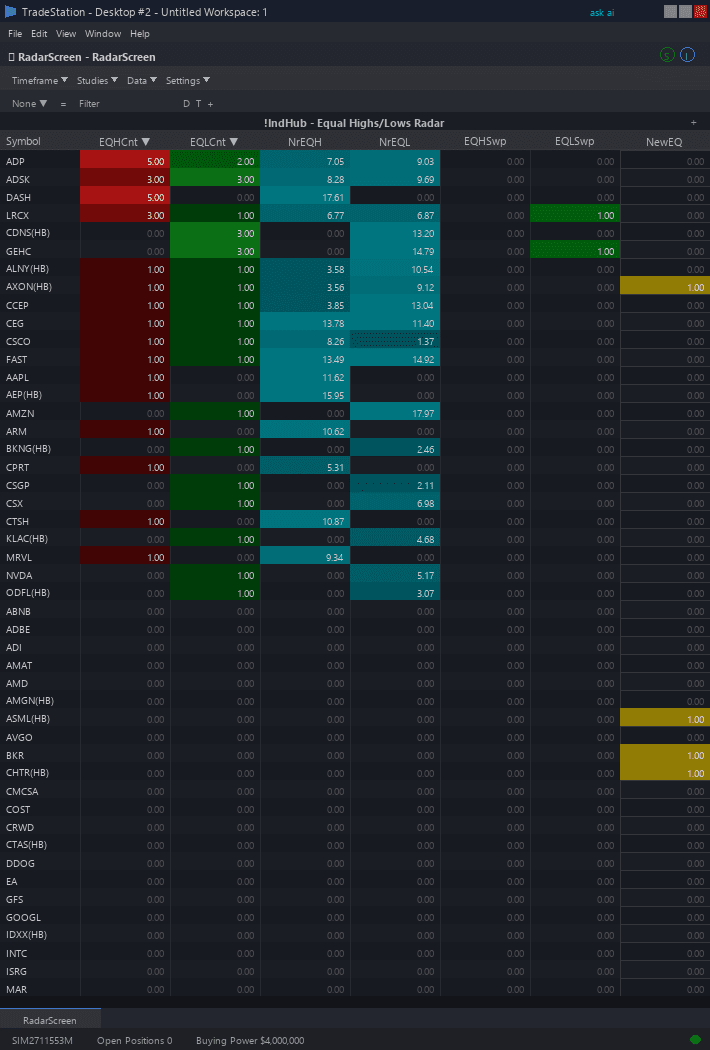
Example chart showing Equal Highs & Lows RadarScreen on a live trading session
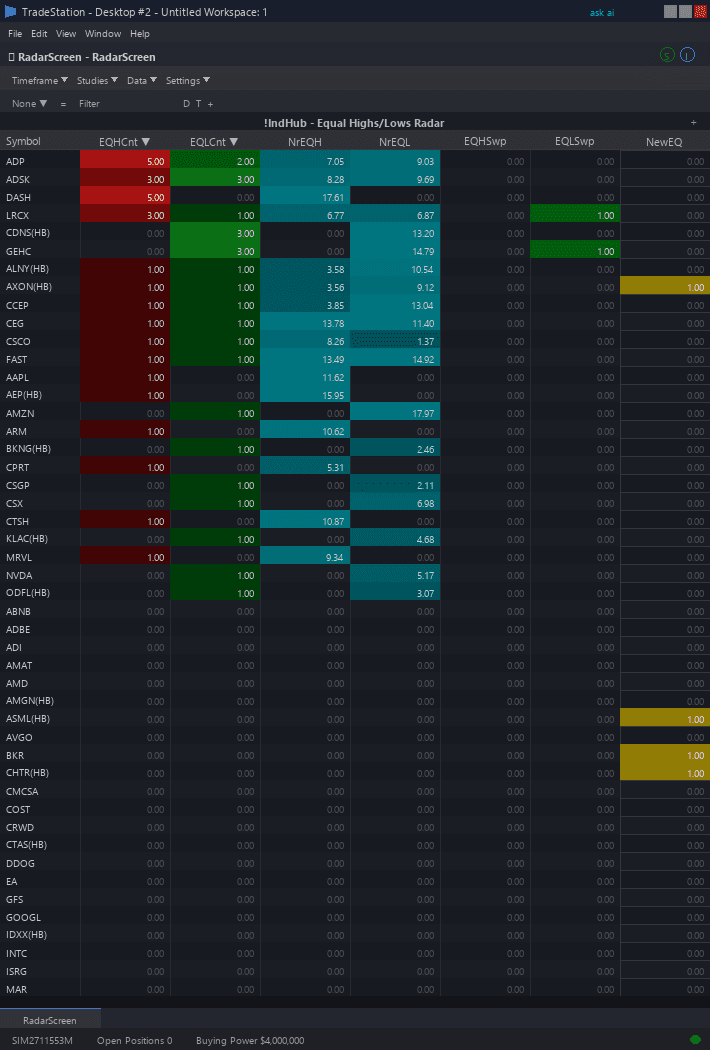
Example chart showing Equal Highs & Lows RadarScreen on a live trading session
Installation Guide
Step 1: Download the indicator file
After purchase, download equal-highs-lows-radarscreen.eld from your confirmation email or account download page. Save it somewhere easy to find like your Desktop or Downloads folder.
Step 2: Open the Import Wizard
Open TradeStation. Click the File menu in the top-left corner, then select Import/Export EasyLanguage to launch the Import/Export Wizard.
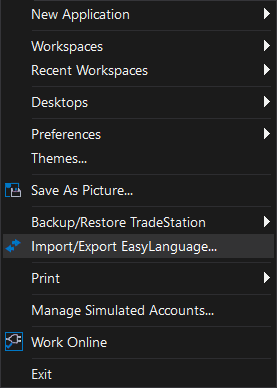
Step 3: Select the import type
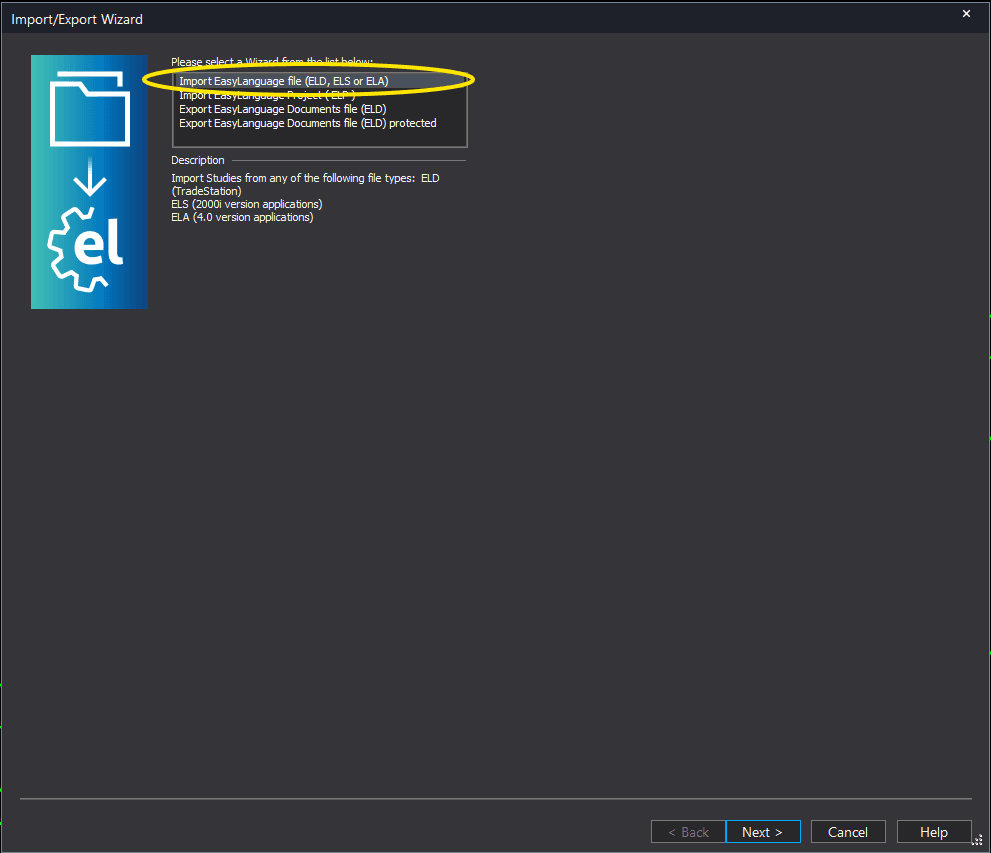
In the Import/Export Wizard, select "Import EasyLanguage file (ELD, ELS or ELA)" from the list. Click Next to continue.
Step 4: Browse for the file
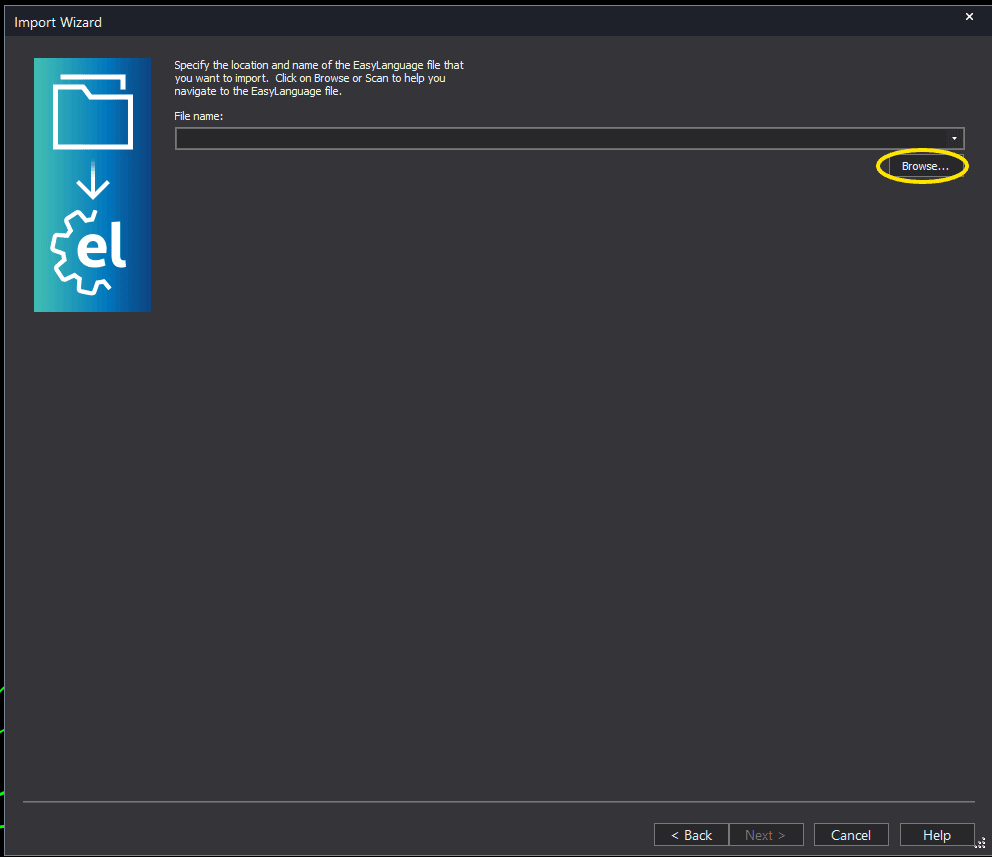
Click the Browse button to open a file browser where you can locate your downloaded .ELD file.
Step 5: Select and open the file
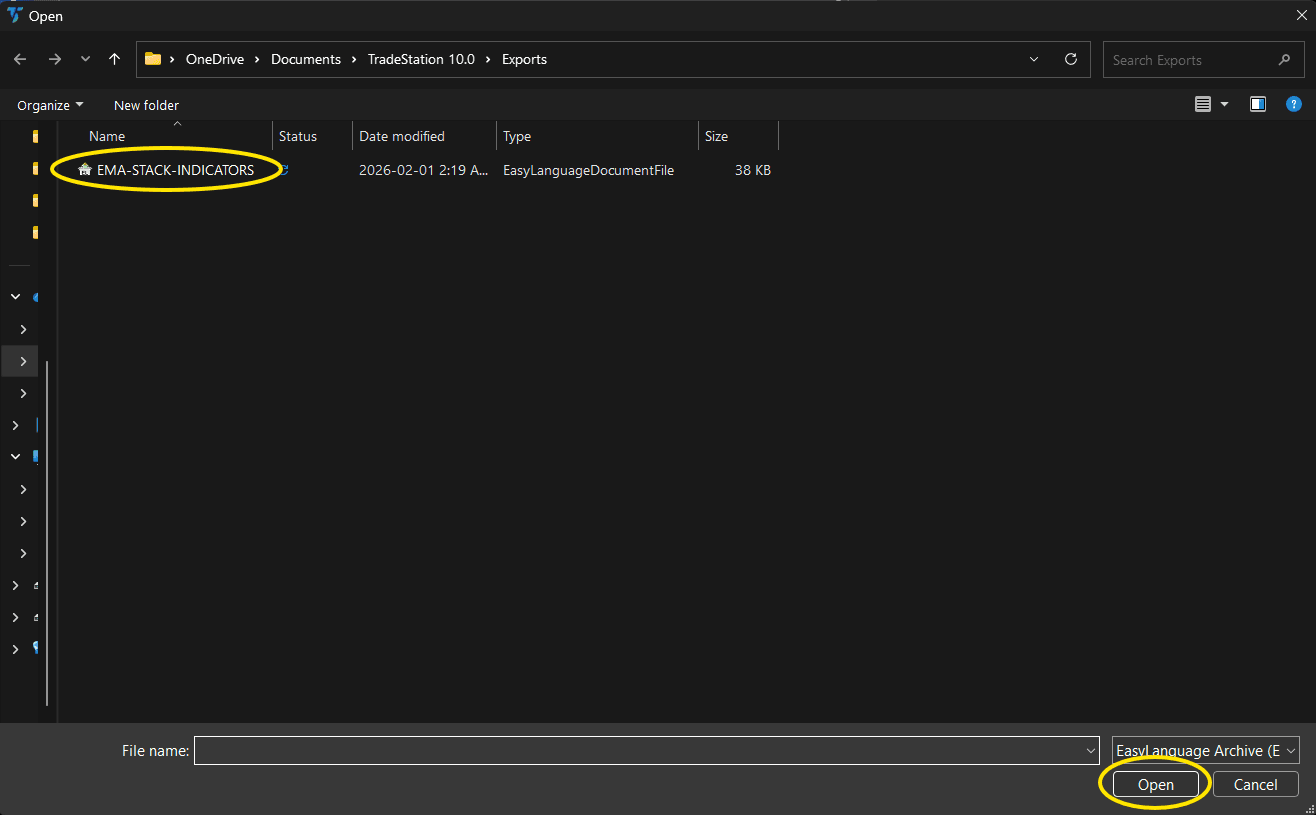
Navigate to the folder where you saved the .ELD file. Select equal-highs-lows-radarscreen.eld and click Open. The file name shown may differ from the screenshot — look for your downloaded indicator file.
Step 6: Open the Studies menu
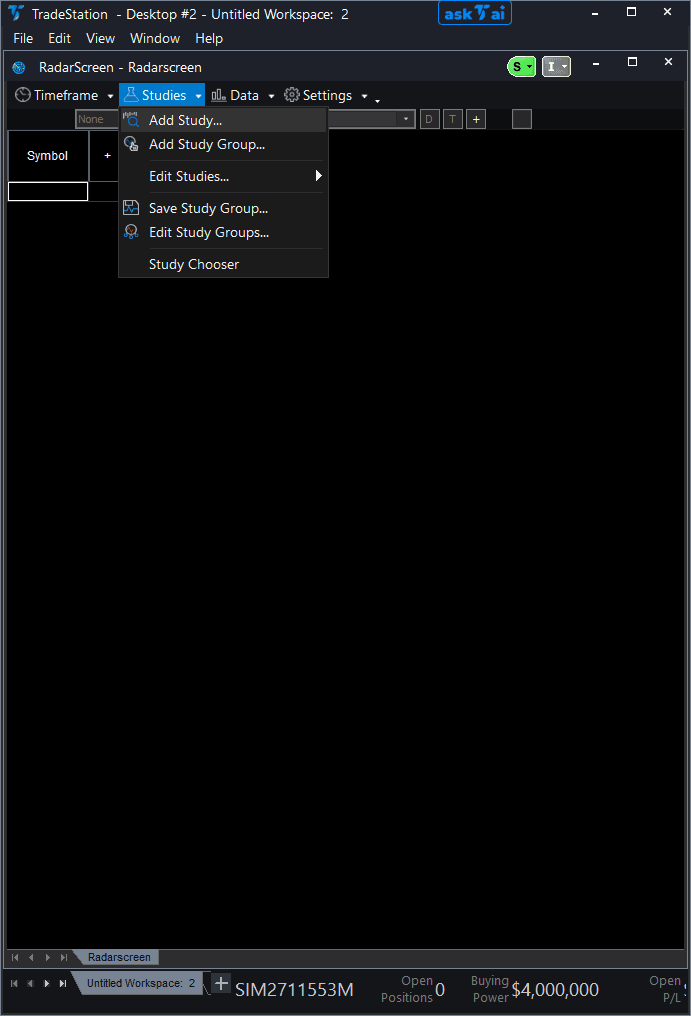
Open your RadarScreen window. Click the Studies dropdown in the toolbar and select Add Study.
Step 7: Select the indicator
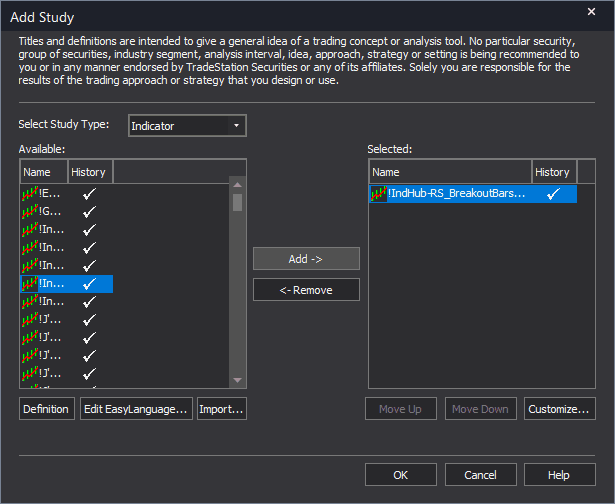
In the Add Study dialog, make sure Indicator is selected in the Study Type dropdown. Find "!IndHub-RS_EqualHL_v1" in the Available list, select it, and click Add. Click OK to apply.
Step 8: Configure your watchlist and columns
Add your symbols to the RadarScreen watchlist. Adjust column widths by dragging column borders. Key inputs: SwingStrength (default 5), EqualTolerance (default 0.15 ATR multiples), MaxLevelAge (default 200), MaxLevelCount (default 10). Sort by NrEQHDst or NrEQLDst ascending to find symbols approaching equal levels. Ensure additional bars loaded is at least 500 in the General tab.
Common Issues
EQHCnt and EQLCnt show 0 for most symbols. Are equal levels really that rare?
Equal levels require two or more swing pivots to form at nearly the same price within the ATR tolerance. On short timeframes or during trending markets, pivots may not repeat at the same level. Try scanning with a higher timeframe (daily instead of 5-minute) where major pivots are more likely to cluster. You can also increase EqualTolerance to 0.20 for wider matching, or reduce SwingStrength to 3 for more frequent pivot identification.
EQHSwept or EQLSwept flashed amber but when I opened the chart the level was not swept.
This is likely a timeframe mismatch. RadarScreen calculates on the interval set in the interval selector. If your RadarScreen is on 15-minute but your chart is on 5-minute, the equal levels and sweep events will differ. Match the RadarScreen interval to your chart timeframe.
How do I find the best sweep candidates for tomorrow?
At the end of the trading day, sort by NrEQHDst and NrEQLDst ascending. Symbols within 0.5-1.0% of an equal level are your top candidates for next-day sweeps, especially if the equal level has been active for many bars (high age = higher significance). Add these to a focused watchlist for the next session.
For additional help, contact support.