Liquidity Sweep Chart
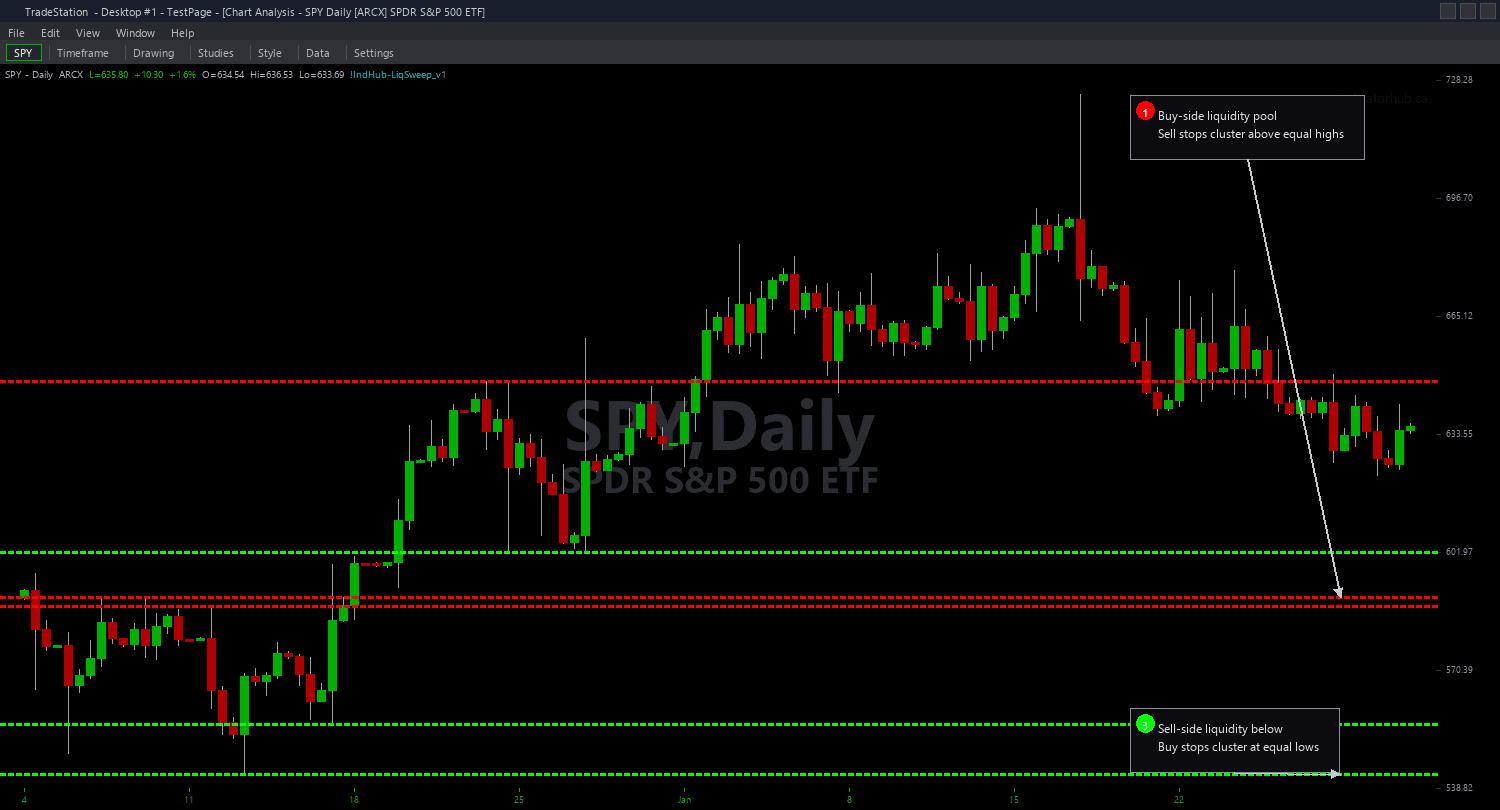
Liquidity Sweep Chart draws horizontal lines at significant swing highs and swing lows where retail stop-loss orders are likely clustered, then visually transforms those lines when price sweeps through them. Dashed lines mark tracked levels that have not yet been swept. When a sweep occurs — price breaks beyond the level intrabar but closes back inside — the line becomes solid and thick, marking a confirmed institutional stop hunt.
- ●Green dashed lines mark tracked swing lows where buy stops are likely clustered below — potential bullish sweep targets
- ●Red dashed lines mark tracked swing highs where sell stops are likely clustered above — potential bearish sweep targets
- ●When a bullish sweep occurs (wick below swing low, close above), the green line turns solid and thick with a confirmation marker
- ●When a bearish sweep occurs (wick above swing high, close below), the red line turns solid and thick with a confirmation marker
- ●SwingStrength (default 5) controls the number of bars on each side required to confirm a swing pivot — higher values track only the most significant levels
- ●MaxLevels (default 10) limits simultaneous tracked levels per side to keep the chart clean and focused
- ●MaxAge (default 50 bars) expires stale levels that were never swept — old levels lose their stop-hunt relevance as traders adjust positions
- ●MinSweepDepth (default 0.1 ATR) requires the wick to extend a minimum distance beyond the level to qualify as a genuine sweep — filters out marginal touches
- ●Plot1 outputs +1 for bullish sweep, -1 for bearish sweep, 0 for no sweep on the current bar
The best setups appear when a level has been visible for many bars (more time for stops to accumulate) and the sweep bar has above-average volume (confirming institutional participation). Look for the solid line transformation and enter in the sweep direction with a stop just beyond the sweep wick.
All level tracking and sweep detection use completed bar data only. Non-repainting guaranteed.
30-Day Money-Back Guarantee
Try it risk-free. Not satisfied? Full refund, no questions asked.
Part of the Liquidity Sweep Bundle
Get all 4 study types for $65 — save $30
Who This Is For
Liquidity Sweep Chart is built for ICT and SMC traders who identify stop hunts as high-probability reversal signals. If you watch for price to spike through obvious swing levels and reverse, this indicator automates the detection and gives you visual confirmation the moment it happens.
Use it on intraday charts (1-minute to 15-minute) for day trading sweep reversals. The default SwingStrength of 5 works well for 5-minute charts on liquid instruments. For swing trading on hourly or daily charts, increase SwingStrength to 8-10 to track only the most significant structural levels where larger stop clusters accumulate.
The indicator performs best on liquid markets where institutional players actively hunt stops: index futures (ES, NQ, YM), NASDAQ-100 stocks, major forex pairs (EUR/USD, GBP/USD), and high-volume crypto assets. Thin markets may produce wick noise that resembles sweeps without genuine institutional intent.
When you see a dashed line transform to solid, a sweep just confirmed. Check the bar's volume relative to average — high-volume sweeps are more reliable. Enter in the direction of the reversal (long after bullish sweep, short after bearish sweep) with your stop just beyond the sweep wick's extreme.
See It in Action
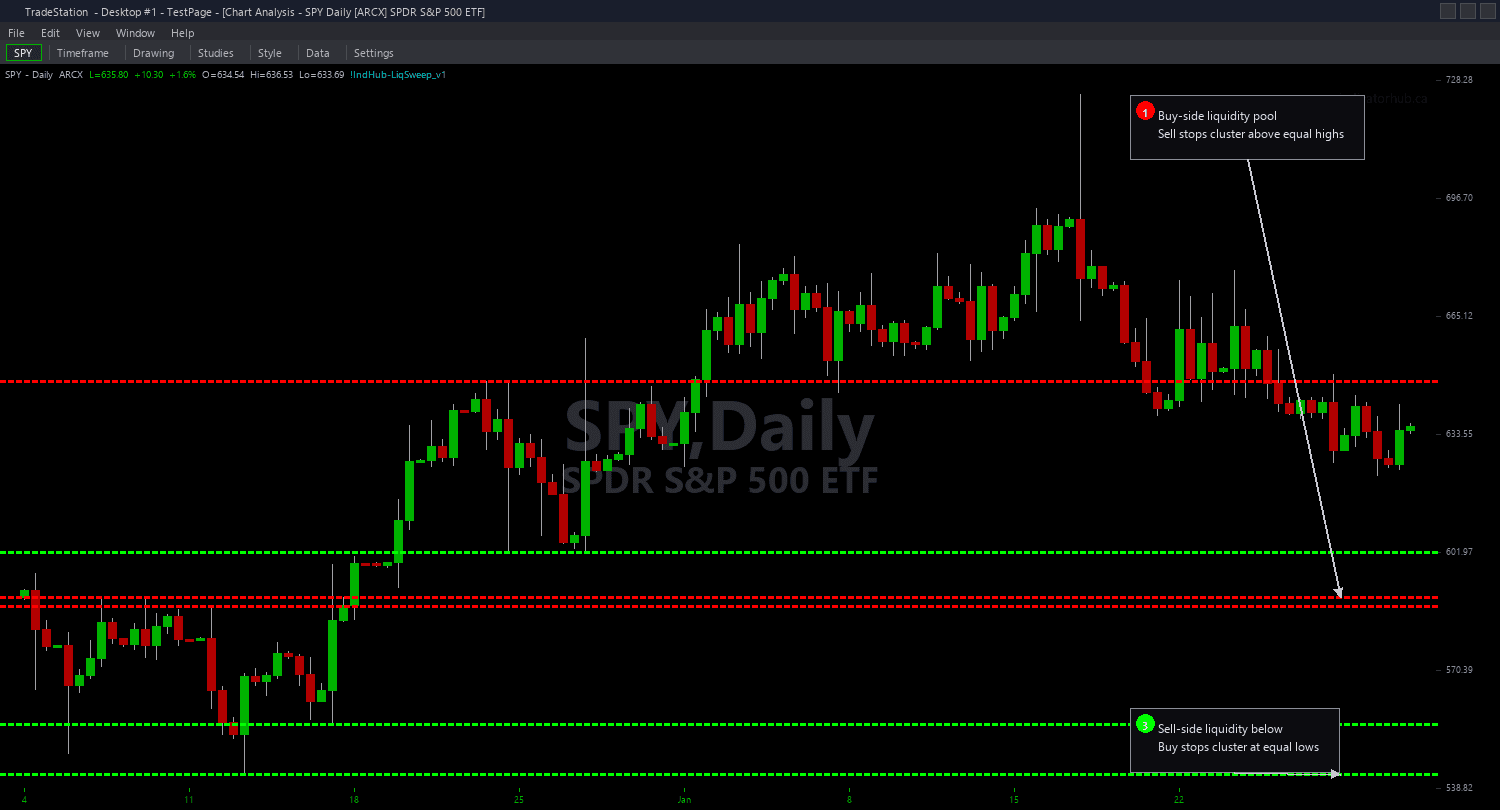
Example chart showing Liquidity Sweep Chart on a live trading session
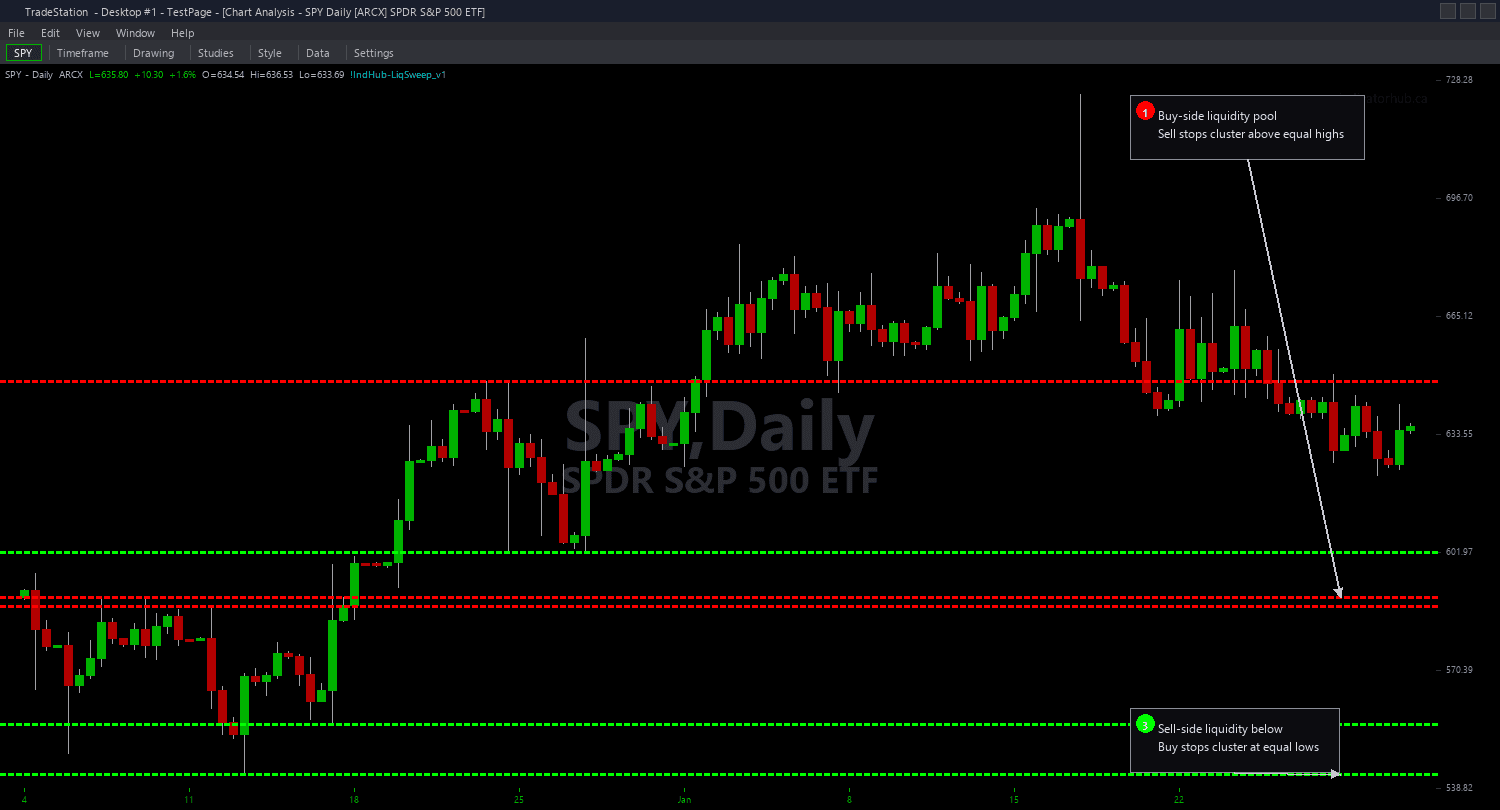
Example chart showing Liquidity Sweep Chart on a live trading session
Installation Guide
Step 1: Download the indicator file
After purchasing, you will receive a download link via email. Click the link and save the liquidity-sweep-chart.eld file to your computer. Save it somewhere easy to find like your Desktop or Downloads folder.
Step 2: Open the Import Wizard
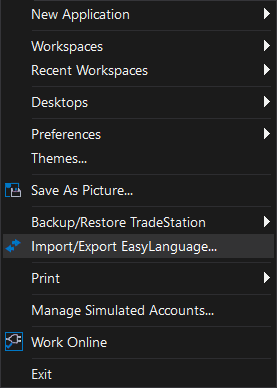
Open TradeStation. Click the File menu in the top-left corner, then select Import/Export EasyLanguage to launch the Import/Export Wizard.
Step 3: Select the import type
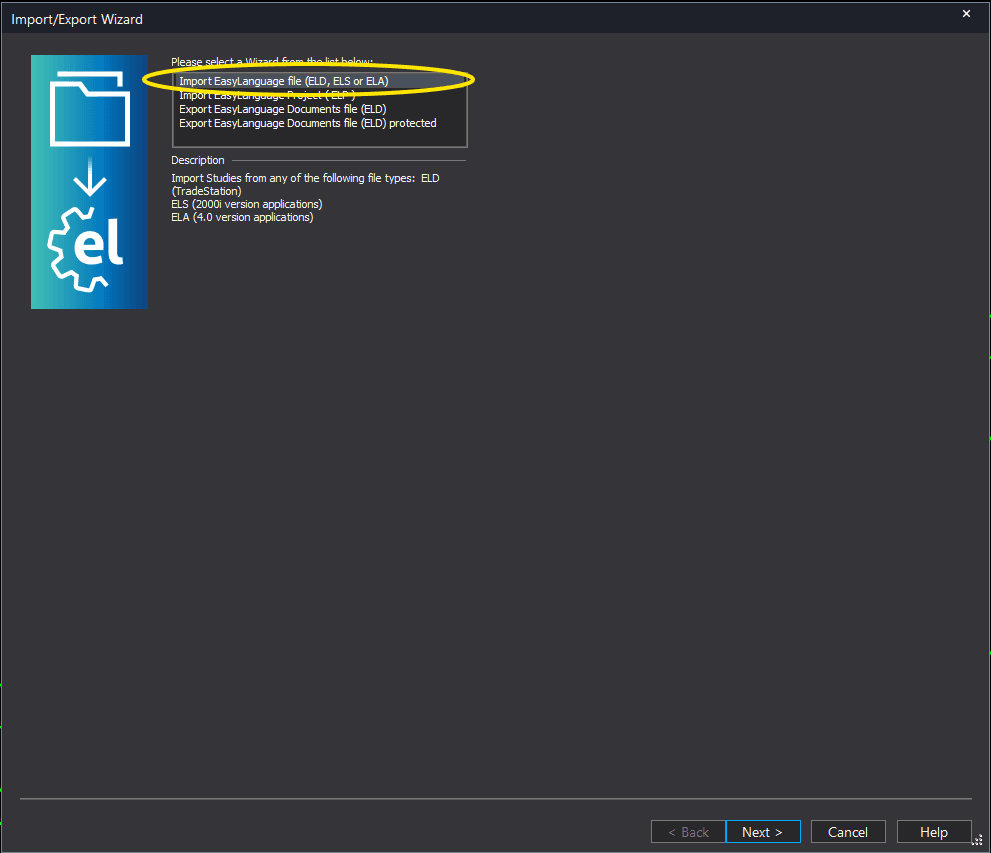
In the Import/Export Wizard, select "Import EasyLanguage file (ELD, ELS or ELA)" from the list. Click Next to continue.
Step 4: Browse for the file
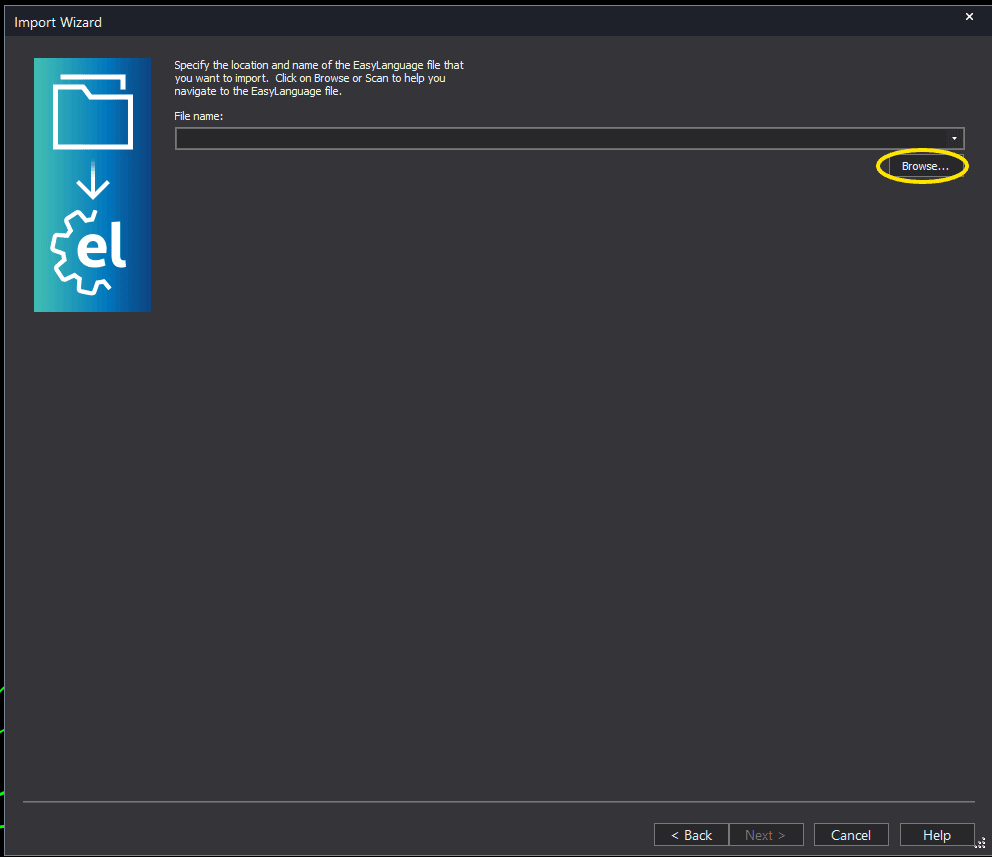
Click the Browse button to open a file browser where you can locate your downloaded .ELD file.
Step 5: Select and open the file
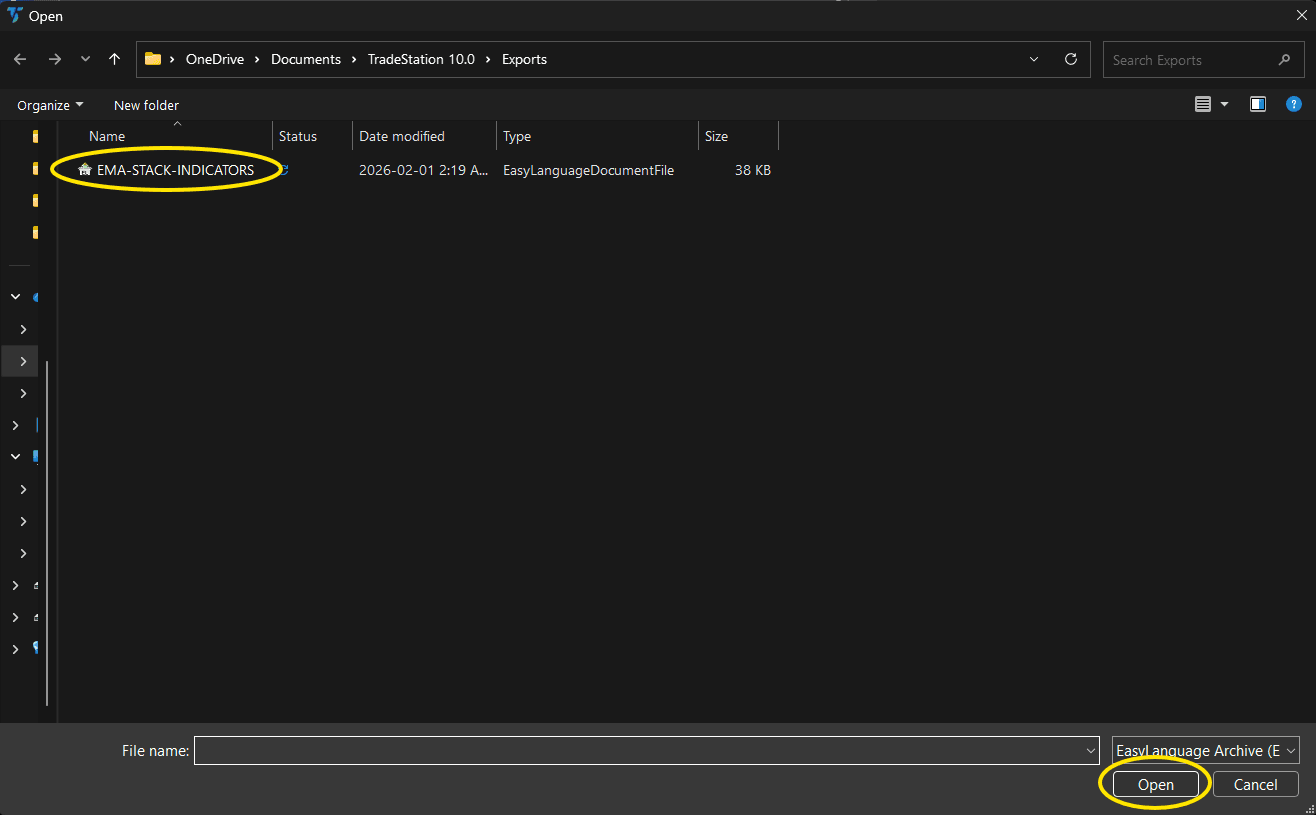
Navigate to the folder where you saved the .ELD file. Select liquidity-sweep-chart.eld and click Open. The file name shown may differ from the screenshot — look for your downloaded indicator file.
Step 6: Open the Studies menu
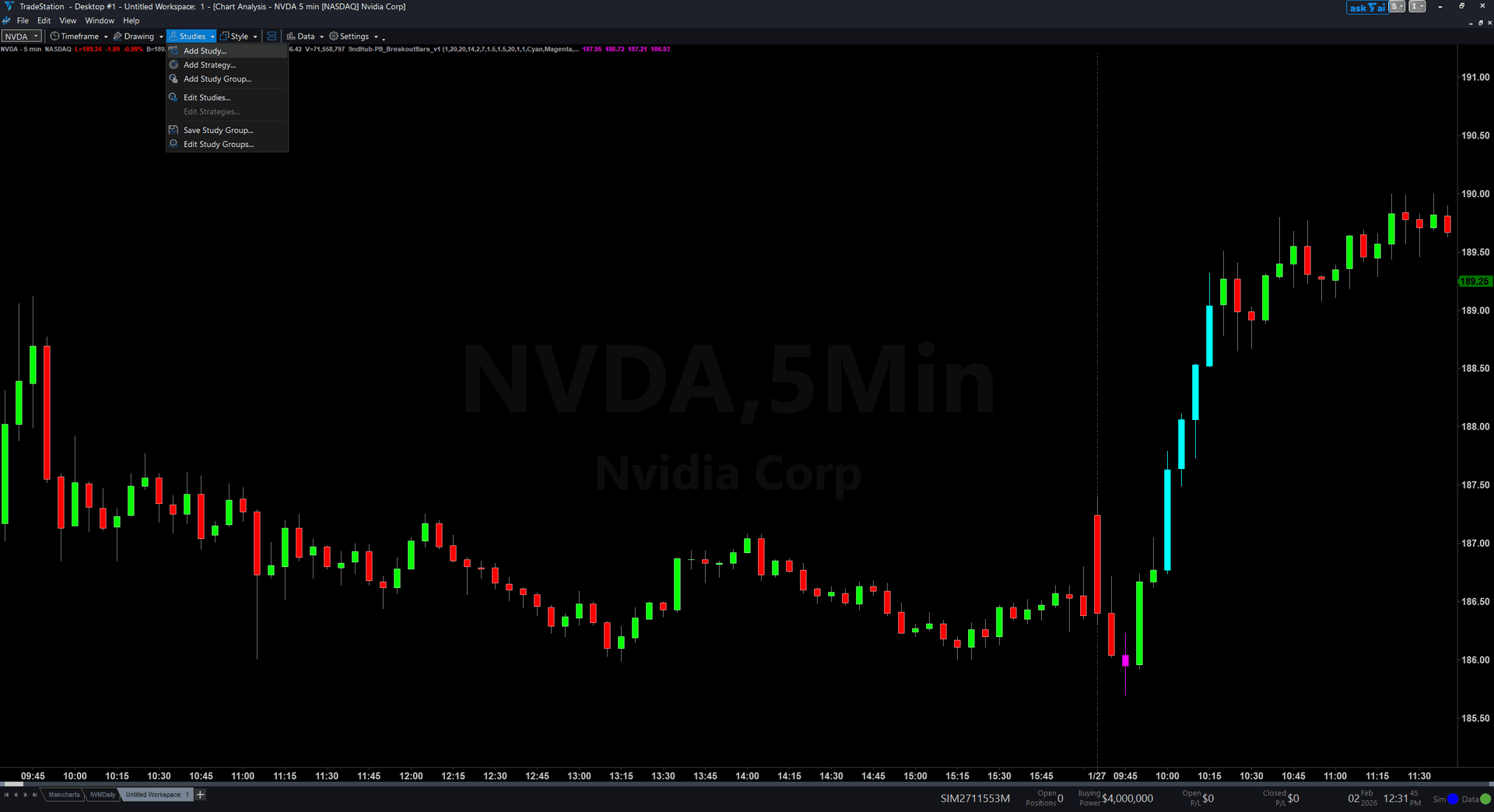
On your chart, click the Studies dropdown in the toolbar and select Add Study.
Step 7: Select the indicator
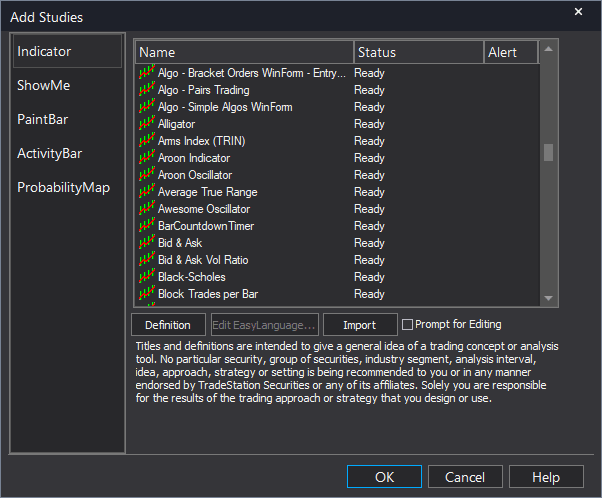
In the Add Studies dialog, make sure the Indicator tab is selected on the left side. Find "!IndHub-LiqSweep_Chart_v1" in the list, select it, and click OK to apply.
Step 8: Configure settings (optional)
Right-click anywhere on the chart, go to Studies > Edit Studies..., select the indicator, and click the Inputs tab. Key inputs: SwingStrength (default 5, pivot sensitivity), MaxLevels (default 10, max tracked levels per side), MaxAge (default 50, level expiration in bars), MinSweepDepth (default 0.1 ATR, minimum wick penetration), ShowBullishLevels/ShowBearishLevels (toggle sides). Most traders start with defaults.
Common Issues
I see many dashed lines but very few turn solid. Are sweeps that rare?
Genuine liquidity sweeps where price wicks beyond a level and closes back inside are indeed less common than simple breakouts. This selectivity is by design — the indicator is filtering for the specific wick-beyond-close-inside pattern that characterizes stop hunts. If you want to track more levels, reduce SwingStrength to detect smaller pivots. If you want looser sweep criteria, reduce MinSweepDepth to 0.05 ATR to accept shallower wicks.
A level turned solid but price continued in the breakout direction instead of reversing. Is the signal wrong?
Not every sweep results in a reversal. The indicator detects the wick-beyond-close-inside pattern, which is a high-probability reversal setup but not a guaranteed outcome. Sweeps that fail to reverse often occur during strong trending conditions where momentum overwhelms the stop-hunt dynamic. Always confirm sweep signals with additional context: volume, higher-timeframe trend, and whether the sweep occurred at a significant confluence zone.
Can I use this on very fast timeframes like 1-minute or tick charts?
Yes, but reduce SwingStrength to 3 for faster pivot detection on very short timeframes. On 1-minute charts, the default SwingStrength of 5 requires 11 bars (5 on each side plus the pivot) to confirm a swing, which represents 11 minutes. If you want faster level identification, lower the strength but accept that more minor levels will be tracked. MinSweepDepth may also need adjustment on tick charts where ATR values are very small.
Levels disappear from my chart before being swept. Why?
Levels expire after MaxAge bars if they have not been swept. The default of 50 bars means a level persists for roughly 4 hours on 5-minute charts or 10 weeks on daily charts. Increase MaxAge to 100 or 200 if you want levels to persist longer. However, very old levels may have less stop-hunt relevance as traders adjust positions over time.
For additional help, contact support.