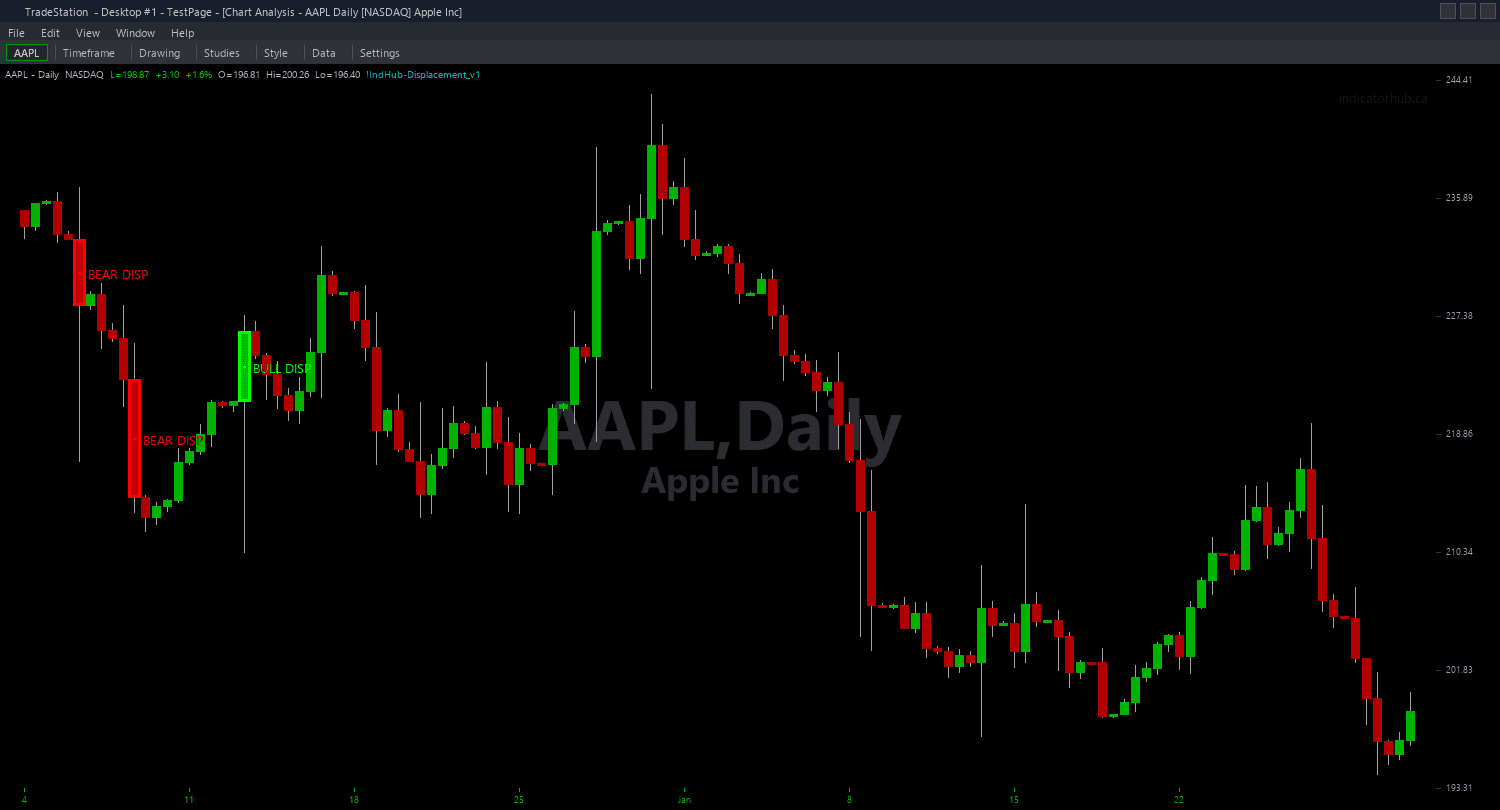
Displacement Candle ShowMe
Displacement Candle ShowMe marks every bar that qualifies as a displacement candle with a color-coded dot and optional text labels showing the body metrics. Green dots appear above bullish displacement candles. Red dots appear below bearish displacement candles. The text labels display the body ATR multiple and body-to-range ratio so you can instantly assess the conviction level of each displacement without checking the data window.
- ●Green dots ABOVE the bar mark bullish displacement candles — large bullish body exceeding MinBodyATR and MinBodyRatio thresholds
- ●Red dots BELOW the bar mark bearish displacement candles — large bearish body meeting the same dual qualification
- ●Optional text labels show two metrics: body size as ATR multiple (e.g., "2.3x") and body-to-range ratio (e.g., "84%")
- ●Higher ATR multiples indicate stronger institutional moves — a 3.0x displacement carries more weight than a 1.5x
- ●Higher body ratios indicate more committed candles — 90%+ means almost no wicks, pure institutional conviction
- ●DotOffset (default 0.3 ATR) positions dots clear of the price bar for readability
- ●ShowMetrics (default true) toggles the text label display on or off for cleaner charts
The metric labels are particularly useful for comparing displacement quality across your chart history. Scroll through and identify which displacement strength levels produce the best follow-through on your specific instrument — this helps you calibrate MinBodyATR and MinBodyRatio thresholds for optimal performance.
All signals are guaranteed non-repainting. Once a dot plots on a completed bar, it will never disappear.
30-Day Money-Back Guarantee
Try it risk-free. Not satisfied? Full refund, no questions asked.
Part of the Displacement Candle Bundle
Get all 4 study types for $65 — save $30
Who This Is For
Displacement Candle ShowMe is designed for traders who want quantified metrics at every institutional impulse candle. Instead of subjectively judging candle size, you get objective numbers that tell you exactly how strong each displacement is.
Layer this study on top of the chart indicator to see both the displacement zones and the metric annotations together. The zones show where to expect pullback reactions, and the ShowMe dots with metrics tell you how strong the original impulse was — stronger displacements tend to produce stronger pullback reactions.
Use it on 1-minute to 15-minute charts for intraday analysis. Focus on displacement candles with BodyATR above 2.0 and BodyRatio above 80% — these represent the highest conviction institutional moves. Use the metrics to filter your trades: only take pullback entries into zones created by strong displacements.
Works on any liquid market. Particularly effective for building a statistical edge — track which metric thresholds produce the best results on your preferred instrument over time.
See It in Action
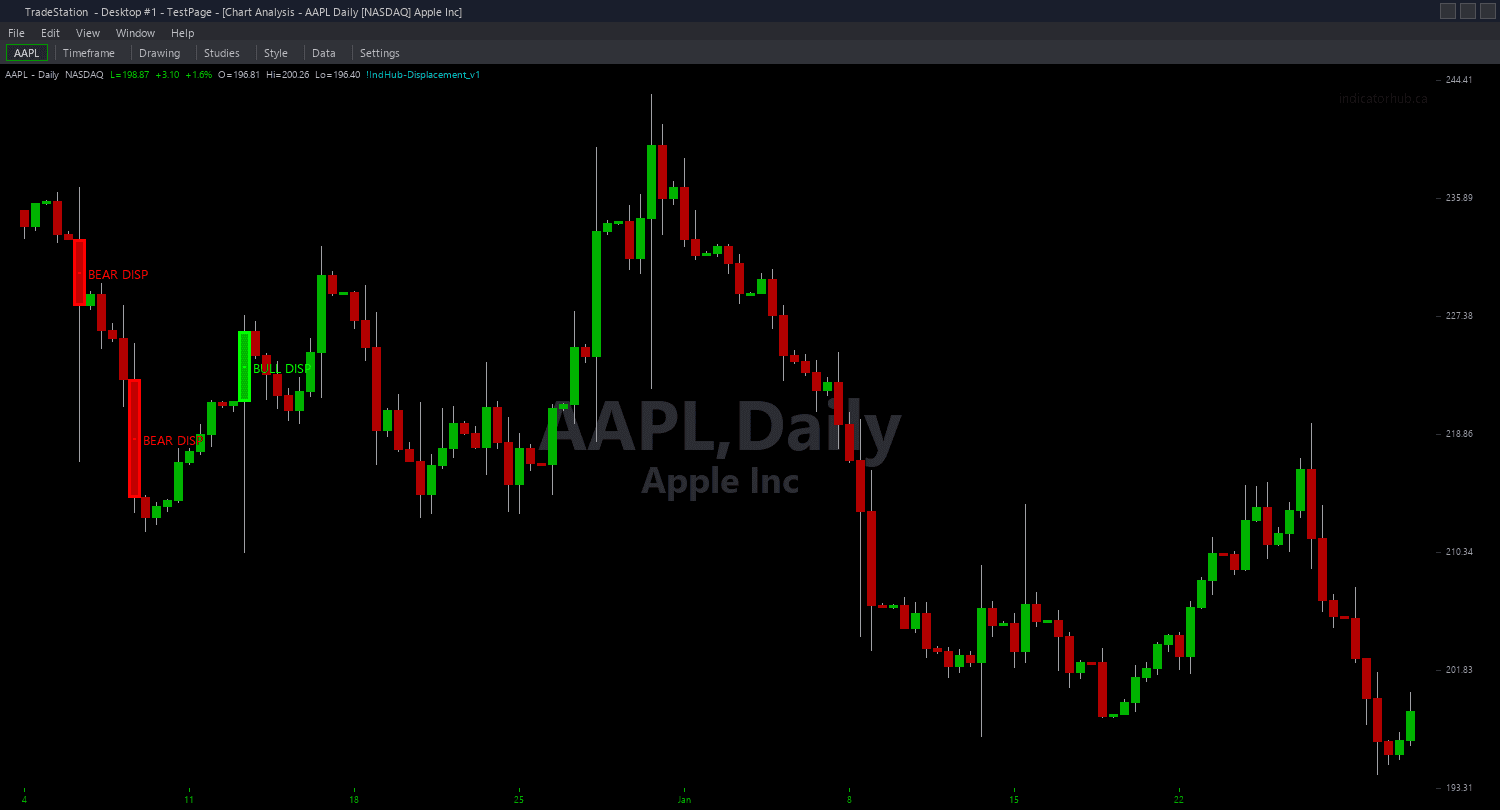
Example chart showing Displacement Candle ShowMe on a live trading session
Installation Guide
Step 1: Download the indicator file
After purchasing, you will receive a download link via email. Click the link and save the displacement-candle-showme.eld file to your computer. Save it somewhere easy to find like your Desktop or Downloads folder.
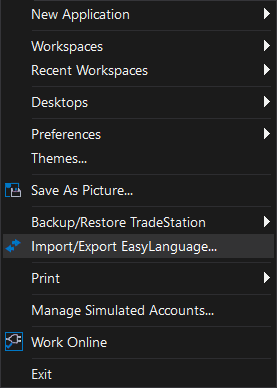
Step 2: Open the Import Wizard
Open TradeStation. Click the File menu in the top-left corner, then select Import/Export EasyLanguage to launch the Import/Export Wizard.
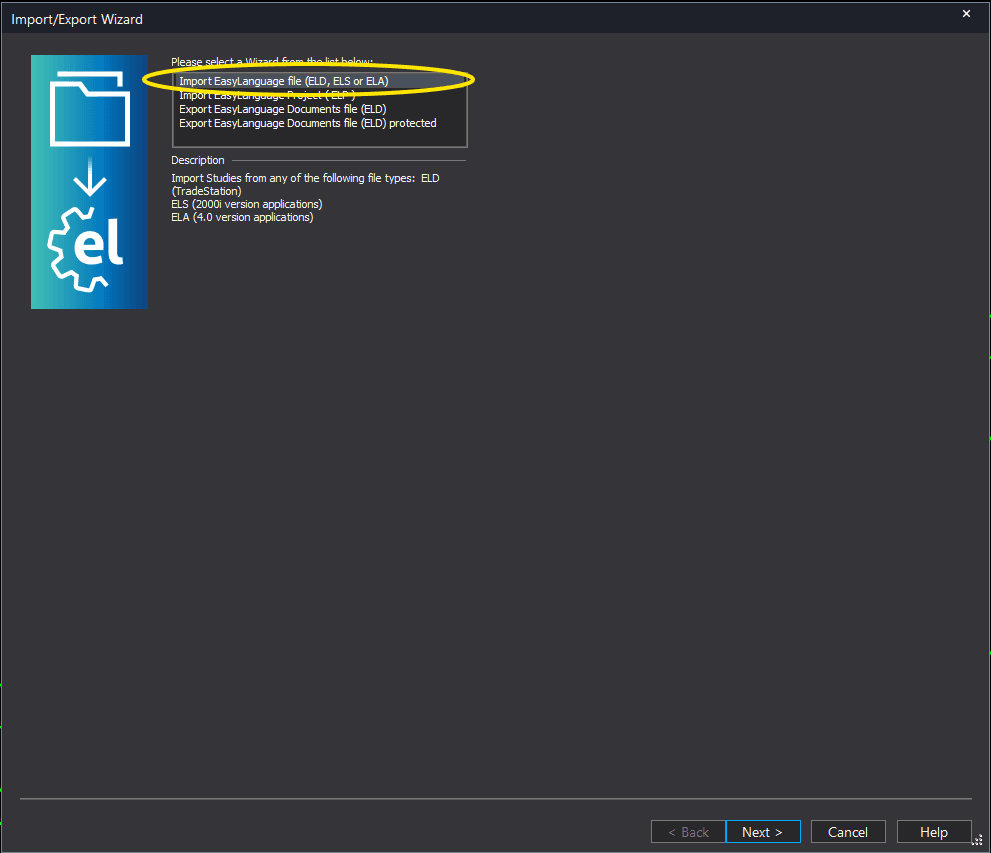
Step 3: Select the import type
In the Import/Export Wizard, select "Import EasyLanguage file (ELD, ELS or ELA)" from the list. Click Next to continue.
Step 4: Browse for the file
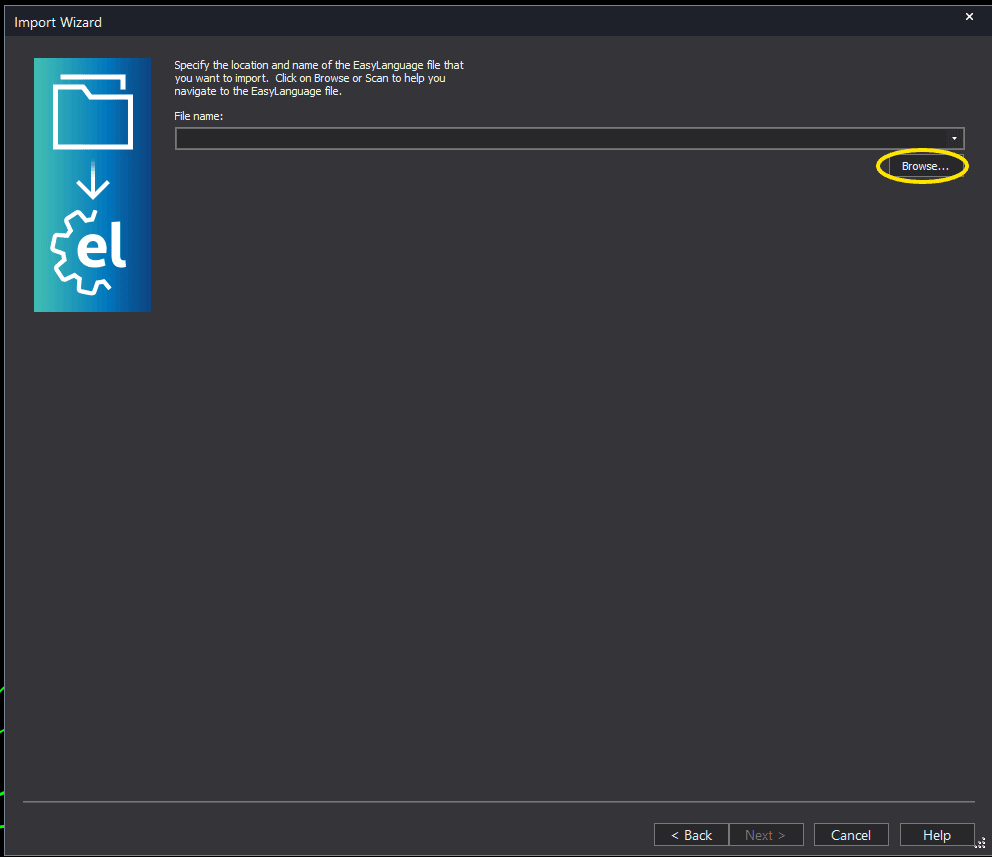
Click the Browse button to open a file browser where you can locate your downloaded .ELD file.
Step 5: Select and open the file
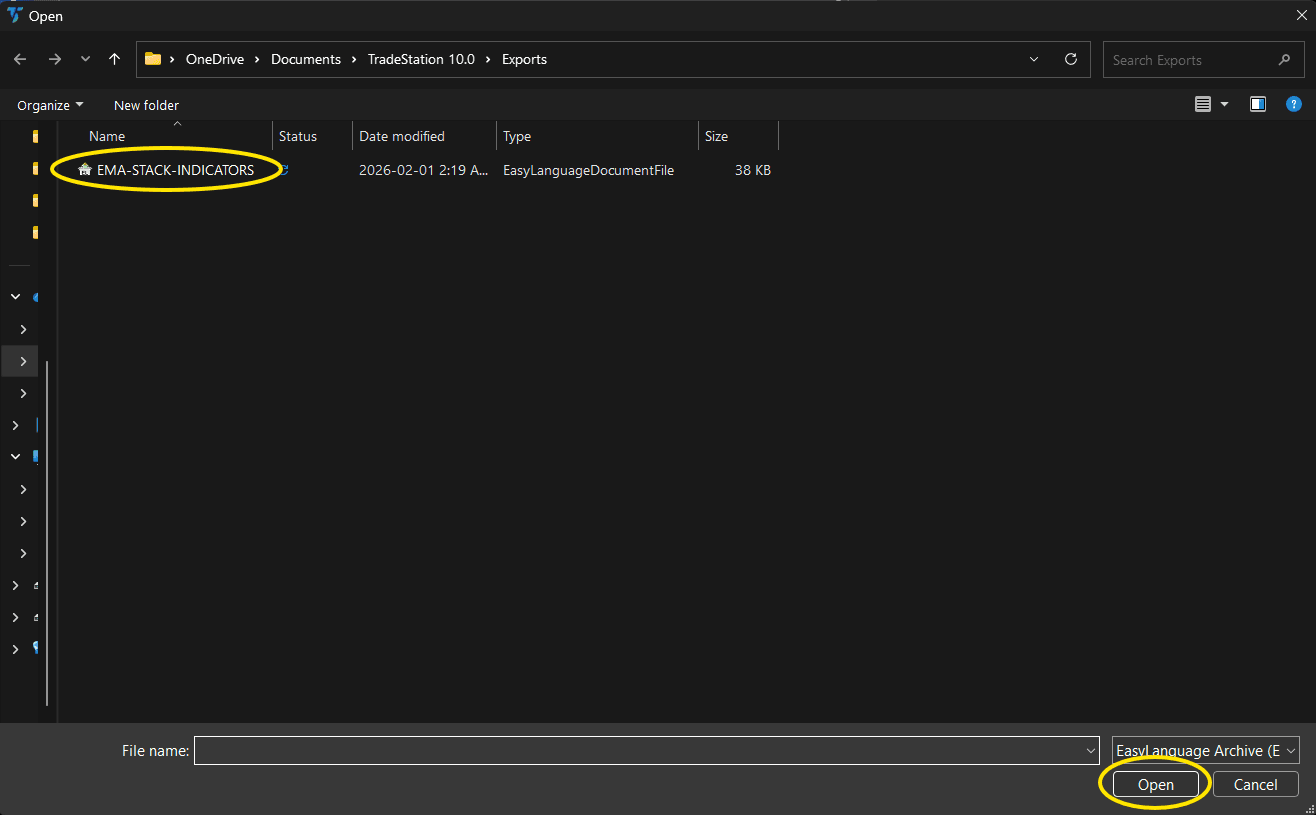
Navigate to the folder where you saved the .ELD file. Select displacement-candle-showme.eld and click Open. The file name shown may differ from the screenshot — look for your downloaded indicator file.
Step 6: Open the Studies menu
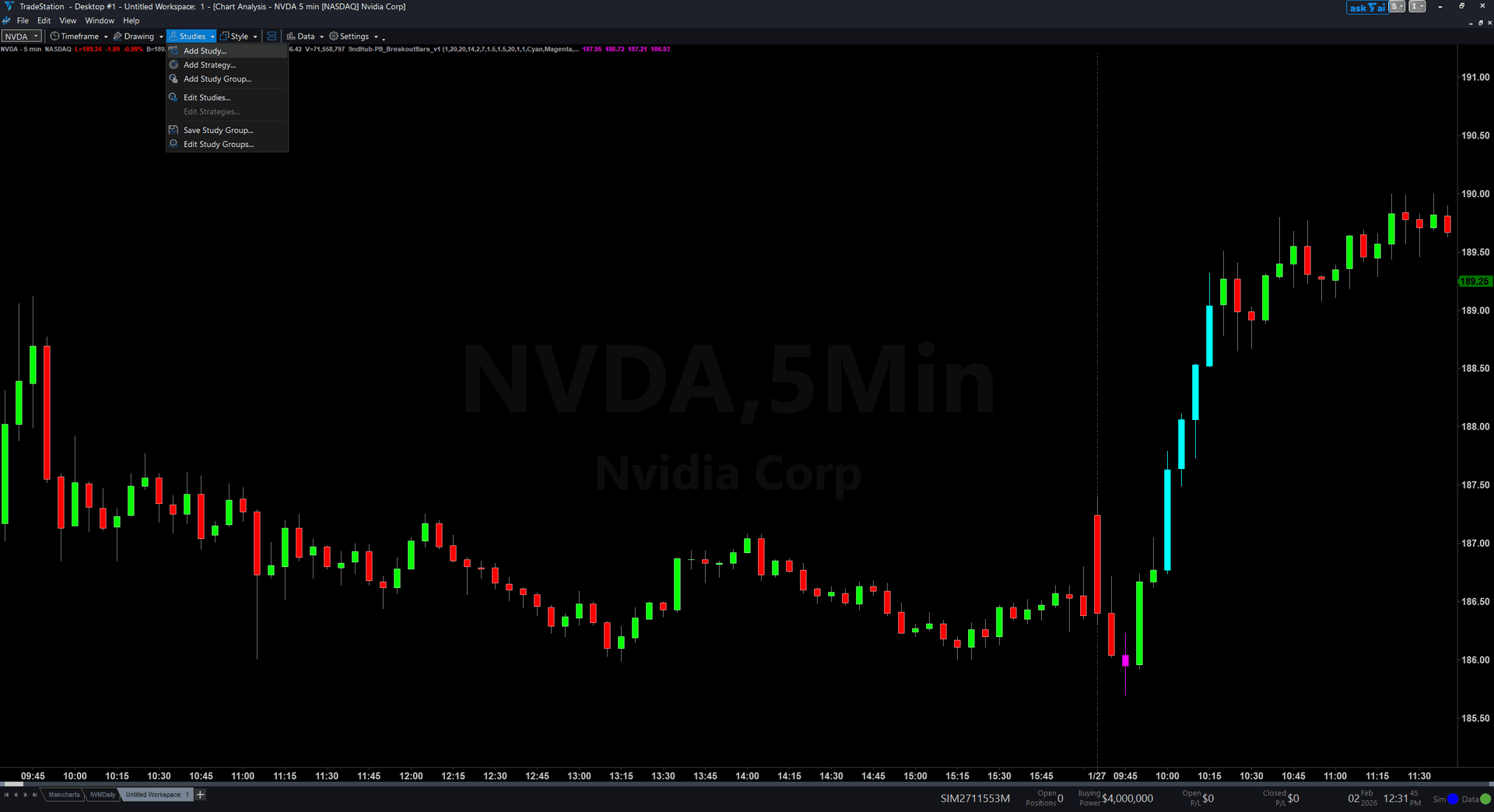
On your chart, click the Studies dropdown in the toolbar and select Add Study.
Step 7: Select the ShowMe study
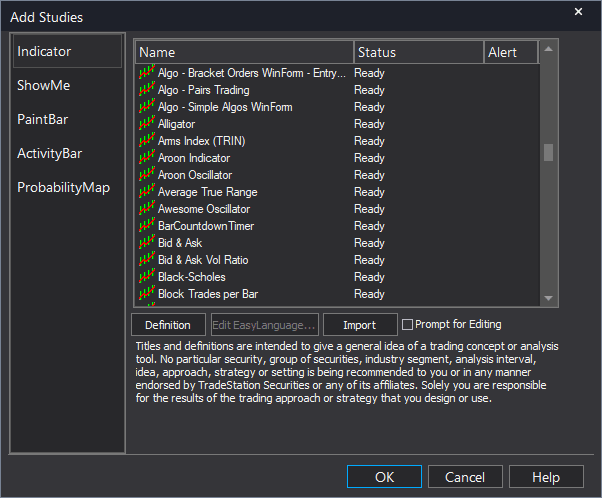
In the Add Studies dialog, click the ShowMe tab on the left side. Find "!IndHub-SM_Displacement_v1" in the list, select it, and click OK to apply.
Step 8: Configure settings (optional)
Right-click anywhere on the chart, go to Studies > Edit Studies..., select the study, and click the Inputs tab. Key inputs: MinBodyATR (default 1.5), MinBodyRatio (default 0.7), DotOffset (default 0.3 ATR), ShowMetrics (default true). For dot appearance, go to the Plots tab and set the plot style to Point with your preferred weight.
Common Issues
The metric text labels are overlapping and hard to read.
Text labels accumulate as new displacement candles are detected. Remove and re-apply the study to clear old labels. Set ShowMetrics to false for dots only. You can also increase MinBodyATR or MinBodyRatio to reduce the number of qualifying candles and their associated labels.
I see dots on candles that do not look particularly large to me. Are they real displacements?
The indicator compares body size to the 14-bar ATR, not to the overall visible chart range. A candle that looks average visually may still have a body exceeding 1.5x ATR if recent volatility has been low. Check the metric labels — the ATR multiple and ratio numbers give you the objective qualification. If you want larger visual candles, increase MinBodyATR to 2.0 or higher.
Can I use the ShowMe without the main chart indicator?
Yes. The ShowMe detects displacement candles independently and works as a standalone study. However, using it alongside the chart indicator gives you the full picture: the chart indicator draws the body zones for pullback reference, and the ShowMe marks the exact displacement bars with their strength metrics.
For additional help, contact support.