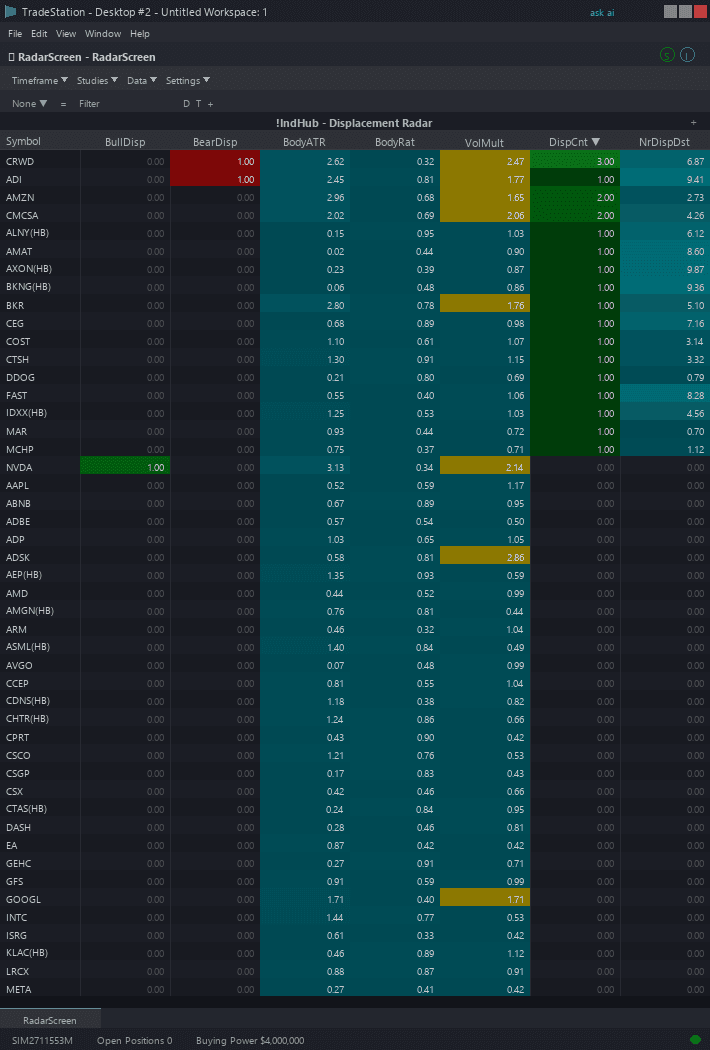
Displacement Candle RadarScreen
Displacement Candle RadarScreen brings institutional impulse detection to your watchlist scanning workflow. Color-coded columns show which symbols have active displacement zones, the body metrics of recent displacement candles, and when new displacements fire — all across your entire watchlist simultaneously.
- ●DispDir column shows the direction of the most recent displacement candle — +1 for bullish (green), -1 for bearish (red), 0 for no recent displacement
- ●BodyATR column shows the displacement candle's body size as an ATR multiple — higher values indicate stronger institutional moves
- ●BodyRatio column shows the body-to-range percentage — values above 80% indicate extremely committed candles with minimal wicks
- ●NrBullDst and NrBearDst show percentage distance to the nearest bullish or bearish displacement zone — teal when a zone exists
- ●InBullZn and InBearZn light up when price is currently inside a displacement zone — these are active retest setups
- ●NewDisp flashes amber when a fresh displacement candle was just detected on the current bar
Sort by BodyATR descending to find the most powerful displacement candles across your watchlist. Sort by InBullZn or InBearZn to find symbols currently retesting displacement levels. Sort by NewDisp to catch new institutional impulse signals the moment they fire.
All signals use completed bar data only. Non-repainting guaranteed.
30-Day Money-Back Guarantee
Try it risk-free. Not satisfied? Full refund, no questions asked.
Part of the Displacement Candle Bundle
Get all 4 study types for $65 — save $30
Who This Is For
Built for momentum traders and SMC practitioners managing 20-80 symbol watchlists who want to identify institutional impulse candles across multiple symbols without manually checking charts. Use this to find the biggest, most committed candles in your universe and trade their subsequent pullbacks.
Add the scanner to your main RadarScreen window. During the first hour of trading (9:30-10:30 AM ET), sort by NewDisp to catch displacement candles as they fire — this is when institutional order flow is most aggressive. Check BodyATR and BodyRatio to qualify signal strength before opening the chart.
After the initial rush, sort by NrBullDst or NrBearDst ascending to find symbols approaching displacement zones for pullback entries. Monitor InBullZn and InBearZn for real-time retest signals.
Works on any timeframe. Use 5-minute for intraday scanning, daily for swing trade identification. Performs best on liquid markets with genuine institutional volume.
See It in Action
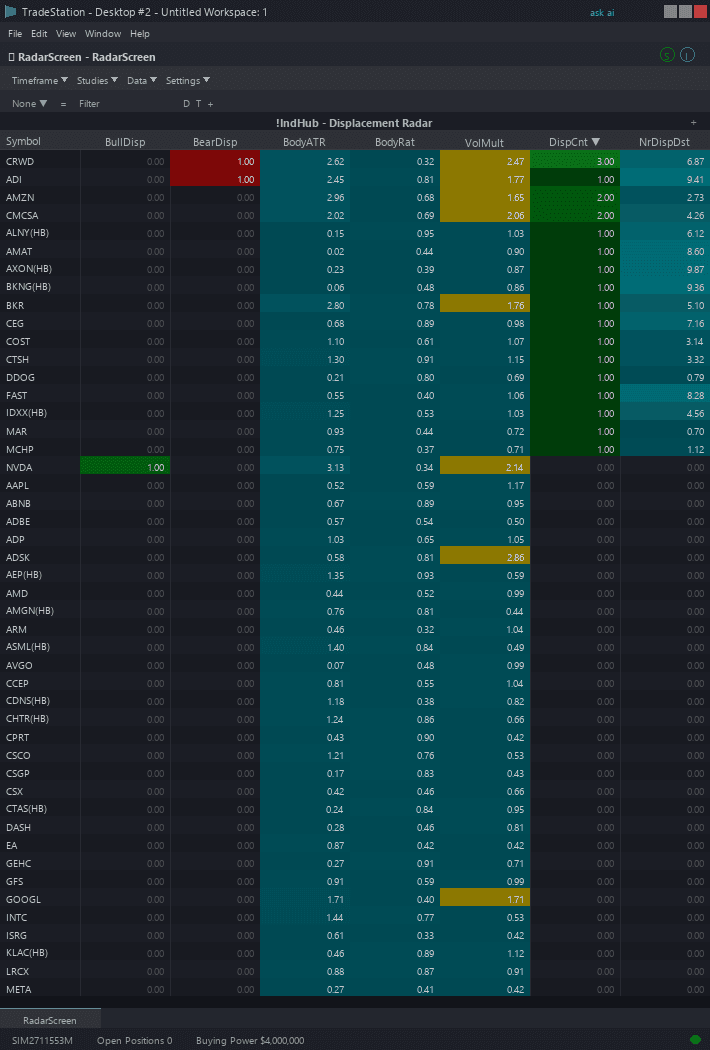
Example chart showing Displacement Candle RadarScreen on a live trading session
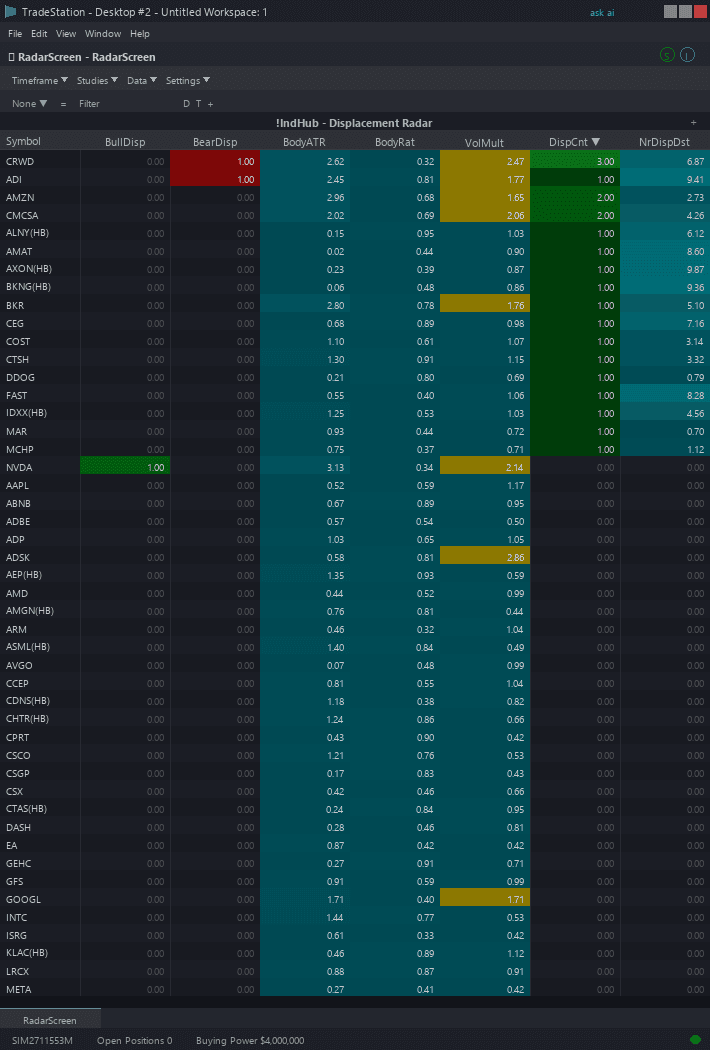
Example chart showing Displacement Candle RadarScreen on a live trading session
Installation Guide
Step 1: Download the indicator file
After purchase, download displacement-candle-radarscreen.eld from your confirmation email or account download page. Save it somewhere easy to find like your Desktop or Downloads folder.
Step 2: Open the Import Wizard
Open TradeStation. Click the File menu in the top-left corner, then select Import/Export EasyLanguage to launch the Import/Export Wizard.
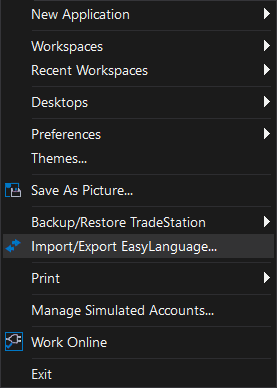
Step 3: Select the import type
In the Import/Export Wizard, select "Import EasyLanguage file (ELD, ELS or ELA)" from the list. Click Next to continue.
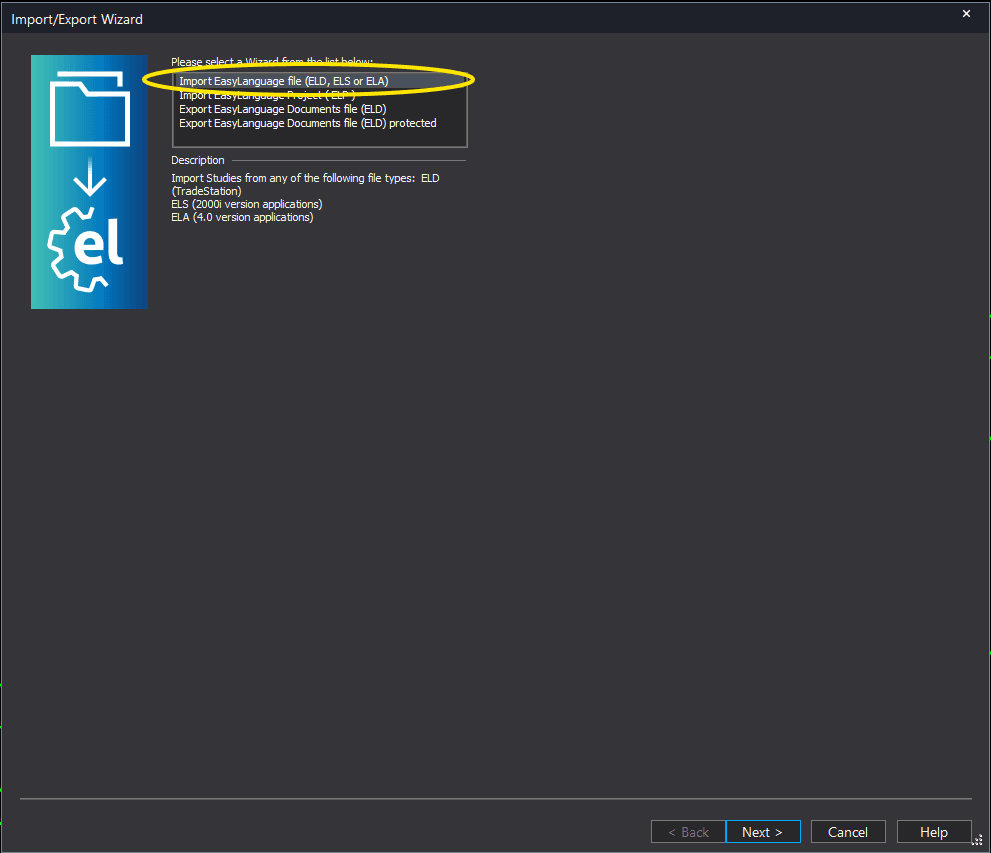
Step 4: Browse for the file
Click the Browse button to open a file browser where you can locate your downloaded .ELD file.
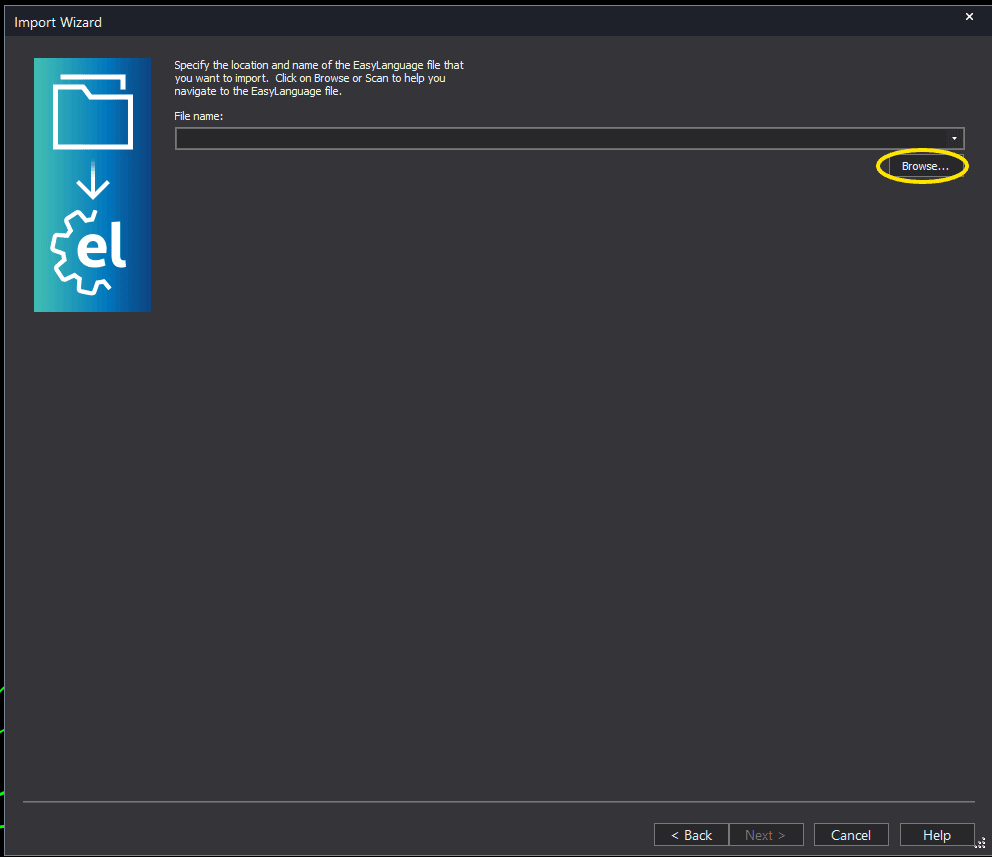
Step 5: Select and open the file
Navigate to the folder where you saved the .ELD file. Select displacement-candle-radarscreen.eld and click Open. The file name shown may differ from the screenshot — look for your downloaded indicator file.
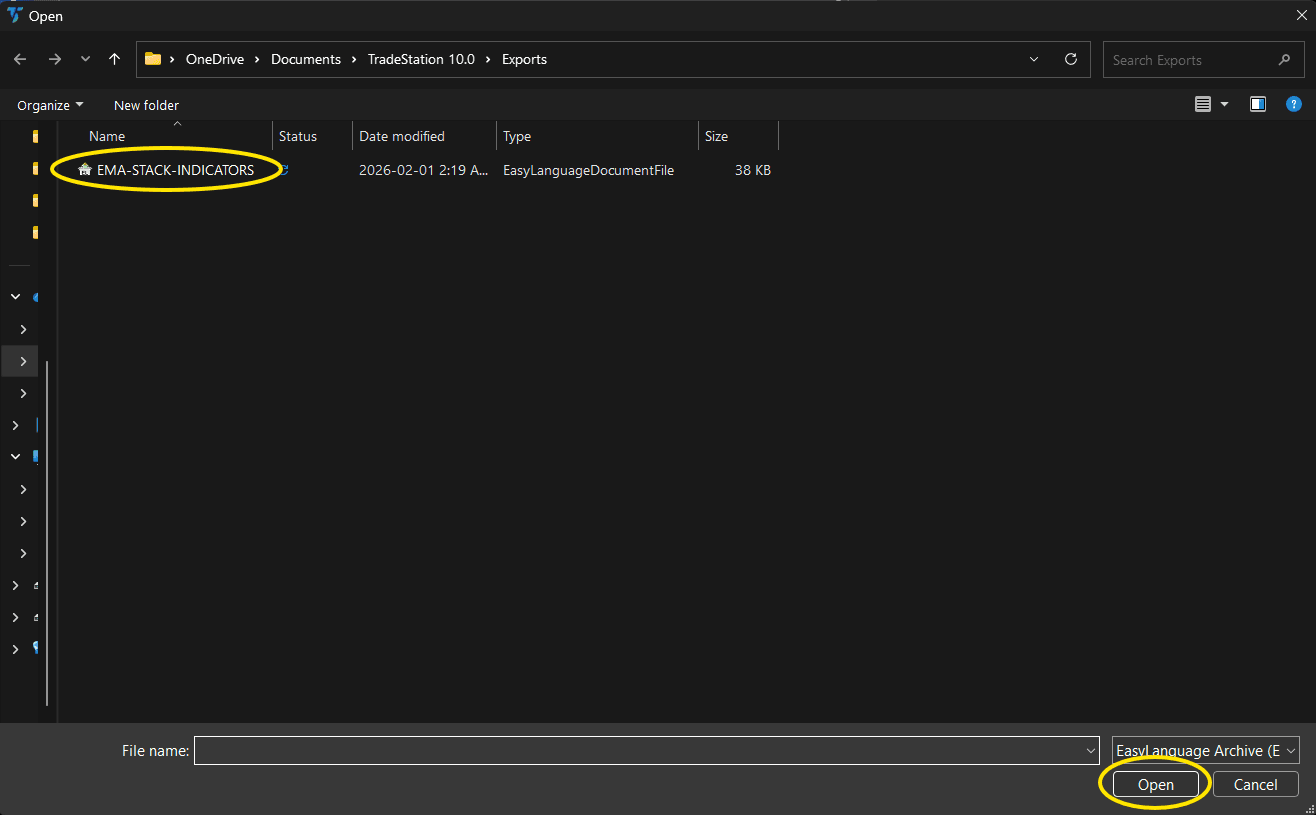
Step 6: Open the Studies menu
Open your RadarScreen window. Click the Studies dropdown in the toolbar and select Add Study.
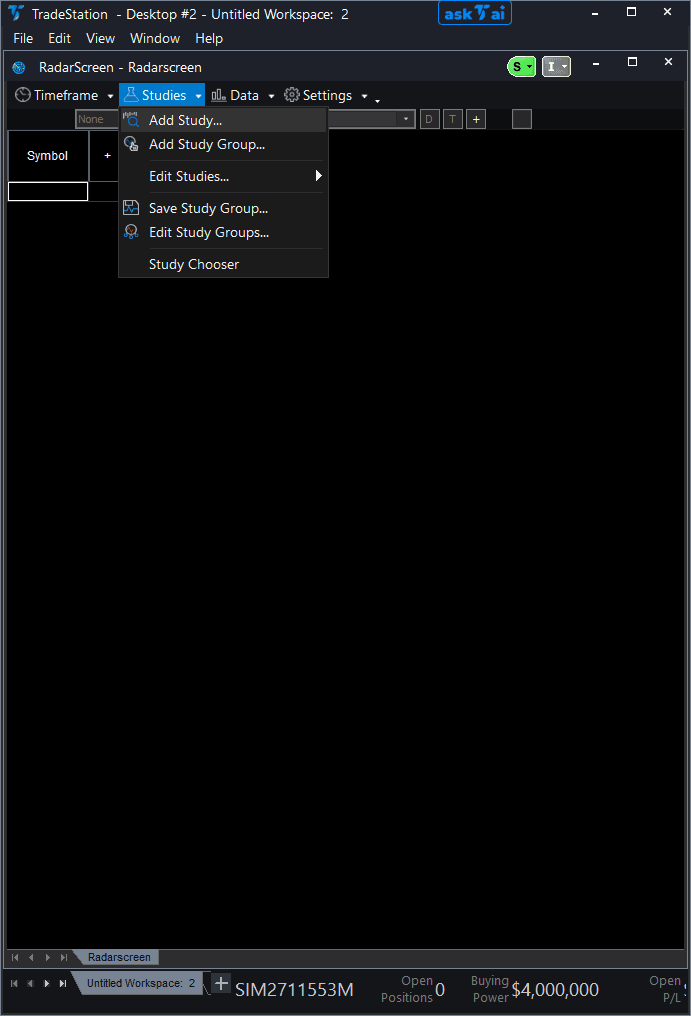
Step 7: Select the indicator
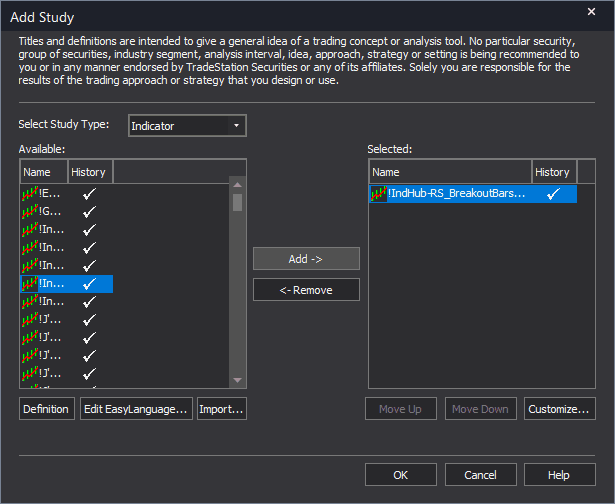
In the Add Study dialog, make sure Indicator is selected in the Study Type dropdown. Find "!IndHub-RS_Displacement_v1" in the Available list, select it, and click Add. Click OK to apply.
Step 8: Configure your watchlist and columns
Add your symbols to the RadarScreen watchlist. Adjust column widths by dragging column borders. Key inputs: MinBodyATR (default 1.5), MinBodyRatio (default 0.7), MaxZoneAge (default 100), RequireVolSpike (default false). Sort by BodyATR descending to find the most powerful displacement candles.
Common Issues
DispDir shows 0 for every symbol. No displacement candles are detected.
Displacement candles require both a large body (1.5x ATR) and high body ratio (70%+). During choppy or indecisive markets, these conditions are rarely met. This is normal — the dual filter ensures only genuine institutional impulse candles qualify. Try lowering MinBodyATR to 1.2 or MinBodyRatio to 0.6 for more signals, or scan during the most volatile market hours (first and last hour).
BodyATR shows high values but BodyRatio is below 0.7. Why is no displacement detected?
The dual qualification requires BOTH conditions to be met simultaneously. A high BodyATR with low BodyRatio means the candle was large but had significant wicks — indicating indecision despite the size. Only candles that are both large AND committed (minimal wicks) qualify as displacements. This is the key filter that separates institutional impulse from volatile noise.
Can I scan for displacement candles on different timeframes simultaneously?
No. Each RadarScreen window uses a single interval for all symbols. To monitor multiple timeframes, create separate RadarScreen windows with different interval settings. A 5-minute window catches intraday displacements while a daily window catches swing-trade-level institutional moves.
For additional help, contact support.