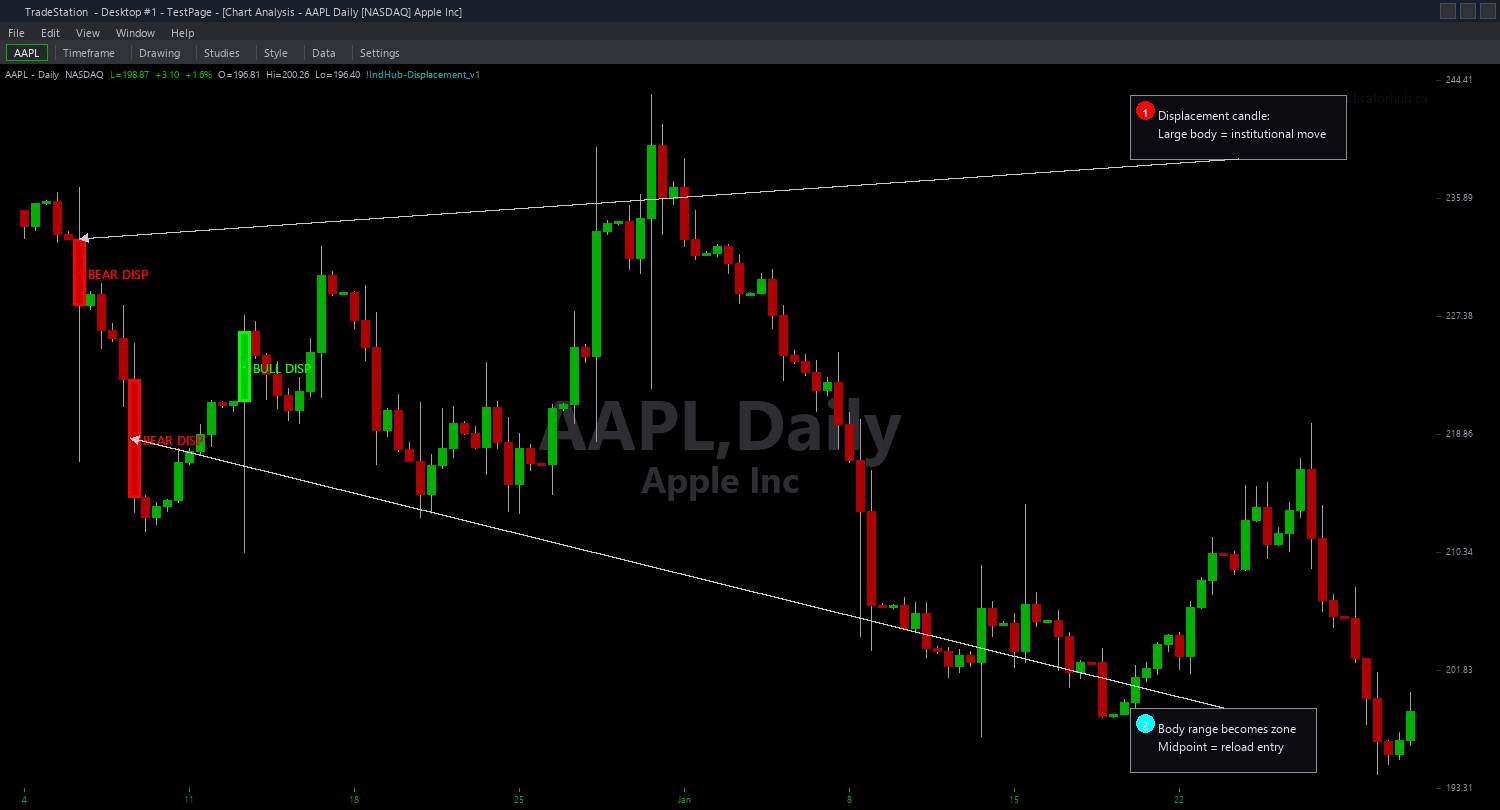
Displacement Candle Chart
Displacement Candle Chart identifies institutional impulse candles and draws zone rectangles using the candle's body range (open-to-close) as a support or resistance area on your chart. When a large-bodied bullish displacement candle fires, the body range becomes a demand zone that price often returns to for continuation entries. When a bearish displacement fires, the body range becomes a supply zone.
- ●Green zones mark bullish displacement body ranges — the candle closed strongly bullish with a body exceeding 1.5x ATR and 70%+ body-to-range ratio, creating institutional demand
- ●Red zones mark bearish displacement body ranges — the candle closed strongly bearish with the same dual qualification, creating institutional supply
- ●MinBodyATR (default 1.5) requires the candle body to be at least 1.5 times the 14-bar ATR — ensures only genuinely large candles qualify, not average-sized moves
- ●MinBodyRatio (default 0.7) requires at least 70% of the candle's total range to be body (not wicks) — filters out doji-like candles with long wicks that show indecision rather than commitment
- ●MaxZoneAge (default 100 bars) automatically expires zones that price never returned to test
- ●RequireVolSpike (default false) adds an optional volume filter requiring above-average volume on the displacement bar for additional conviction confirmation
- ●50% midpoint line drawn inside each zone as a dotted reference — the level where institutional orders are concentrated
- ●Automatic mitigation removes zones when price closes through them in the opposite direction
- ●Plot1 outputs +1 inside a bullish displacement zone, -1 inside a bearish zone, and 0 outside
The best setups occur when price pulls back into a displacement zone after the impulse move. The body range represents where institutional orders were filled — when price returns to this area, the same institutional interest often provides a reaction.
All zone detection uses completed bar data only. Non-repainting guaranteed.
30-Day Money-Back Guarantee
Try it risk-free. Not satisfied? Full refund, no questions asked.
Part of the Displacement Candle Bundle
Get all 4 study types for $65 — save $30
Who This Is For
Displacement Candle Chart is built for momentum and smart money traders who want to identify where institutional order flow created large impulsive moves and trade the subsequent pullback into those levels. If you have been looking for objective identification of institutional candles rather than subjectively judging which candles look big enough, this indicator provides dual-qualified detection with precise thresholds.
Use it on intraday charts (1-minute to 15-minute) for day trading pullback entries into displacement zones. The default MinBodyATR of 1.5 and MinBodyRatio of 0.7 work well for 5-minute charts on liquid futures and stocks. For swing trading on hourly or daily charts, keep the same ratio but consider increasing MinBodyATR to 2.0 for only the most significant displacement candles.
The indicator performs best on liquid markets with genuine institutional participation and clean price action: index futures (ES, NQ), NASDAQ-100 stocks, and high-volume ETFs. Markets with frequent gaps or erratic volume may produce less reliable displacement signals.
Look for fresh displacement zones created by candles with body ratios above 80% and body sizes above 2.0x ATR — these represent the strongest institutional conviction. When price pulls back into the zone for the first time, evaluate for a continuation entry in the direction of the original displacement.
See It in Action
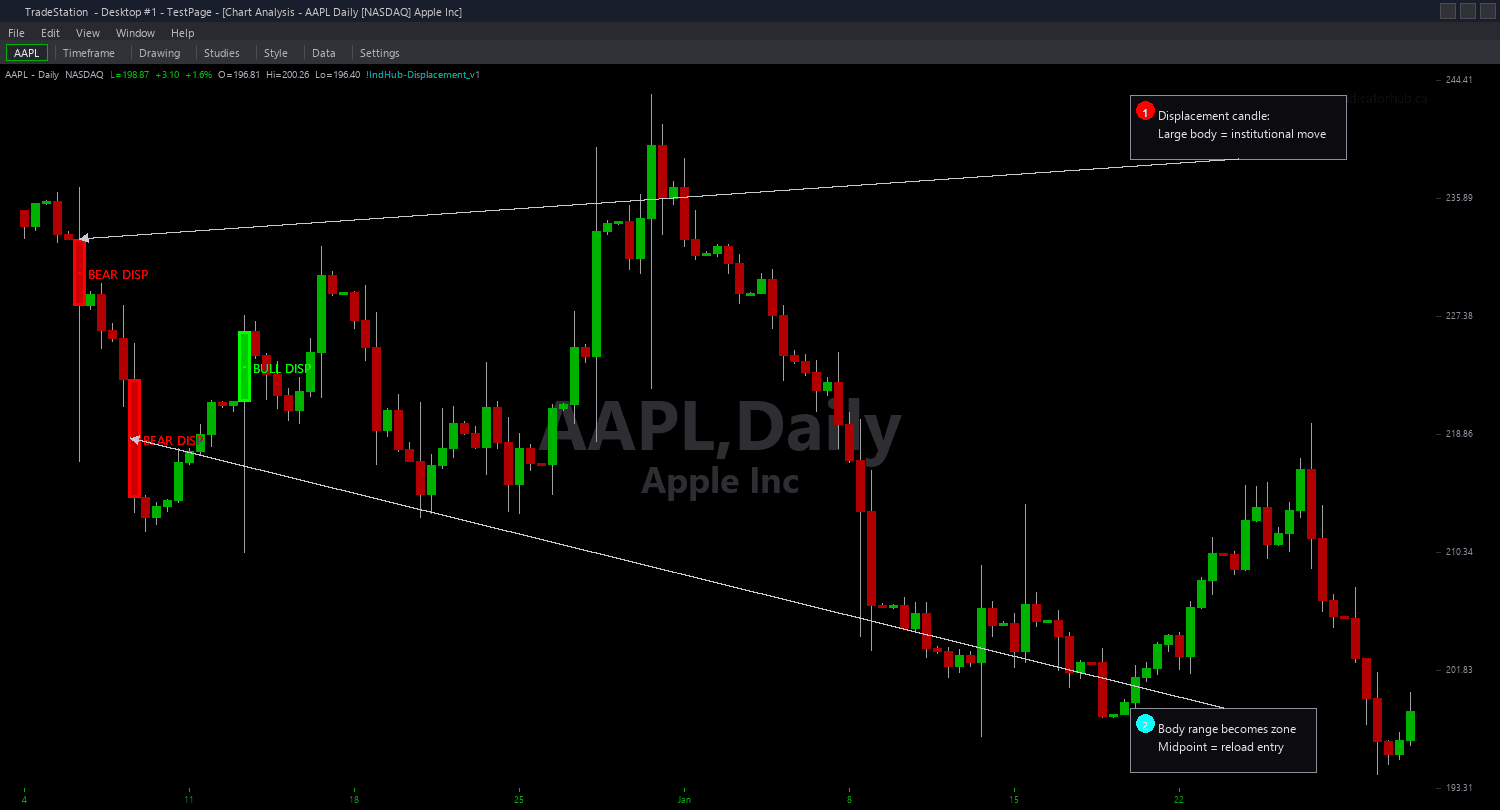
Example chart showing Displacement Candle Chart on a live trading session
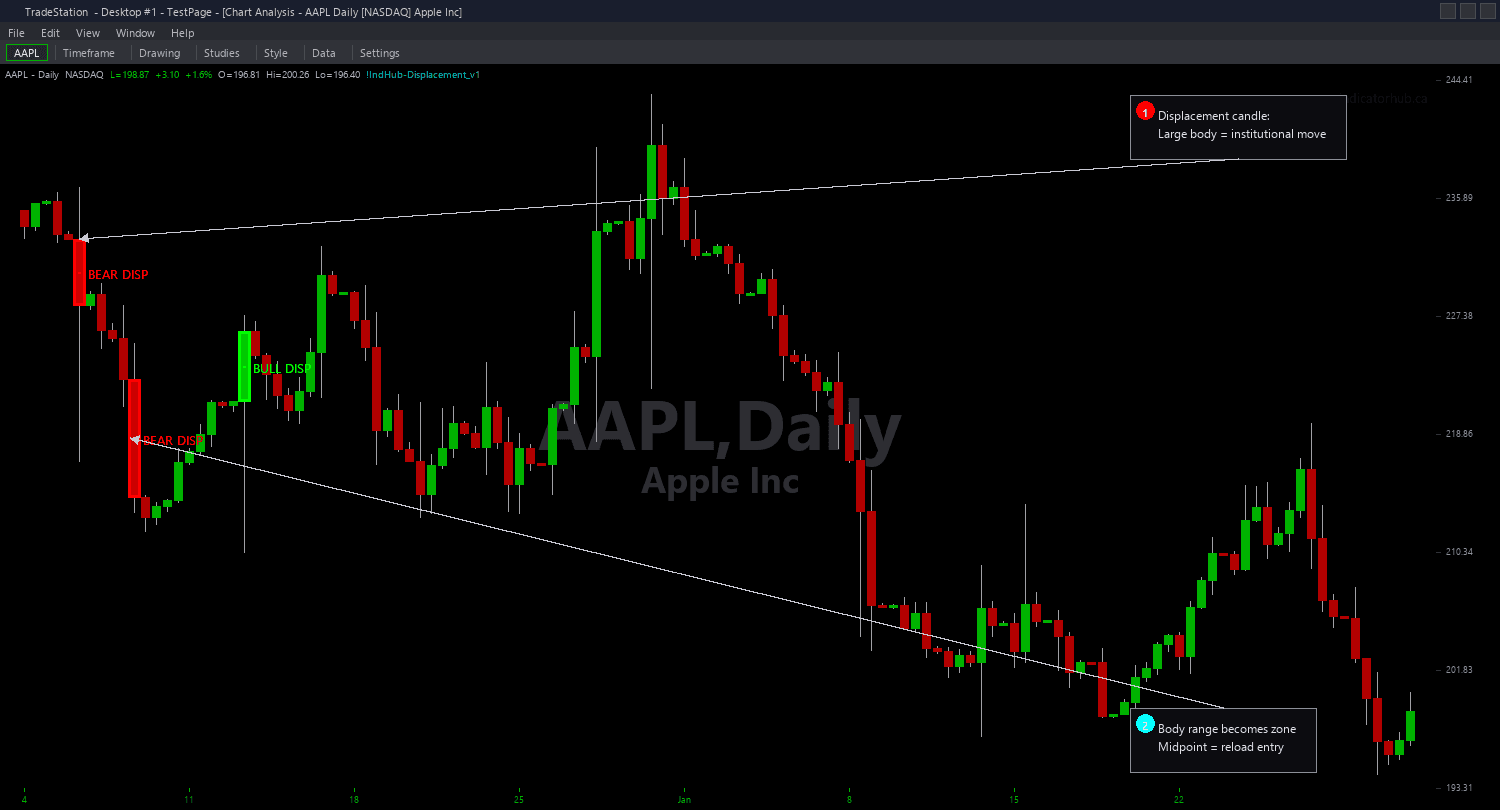
Example chart showing Displacement Candle Chart on a live trading session
Installation Guide
Step 1: Download the indicator file
After purchasing, you will receive a download link via email. Click the link and save the displacement-candle-chart.eld file to your computer. Save it somewhere easy to find like your Desktop or Downloads folder.
Step 2: Open the Import Wizard
Open TradeStation. Click the File menu in the top-left corner, then select Import/Export EasyLanguage to launch the Import/Export Wizard.
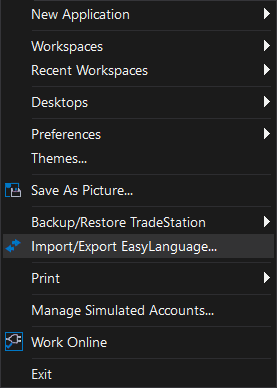
Step 3: Select the import type
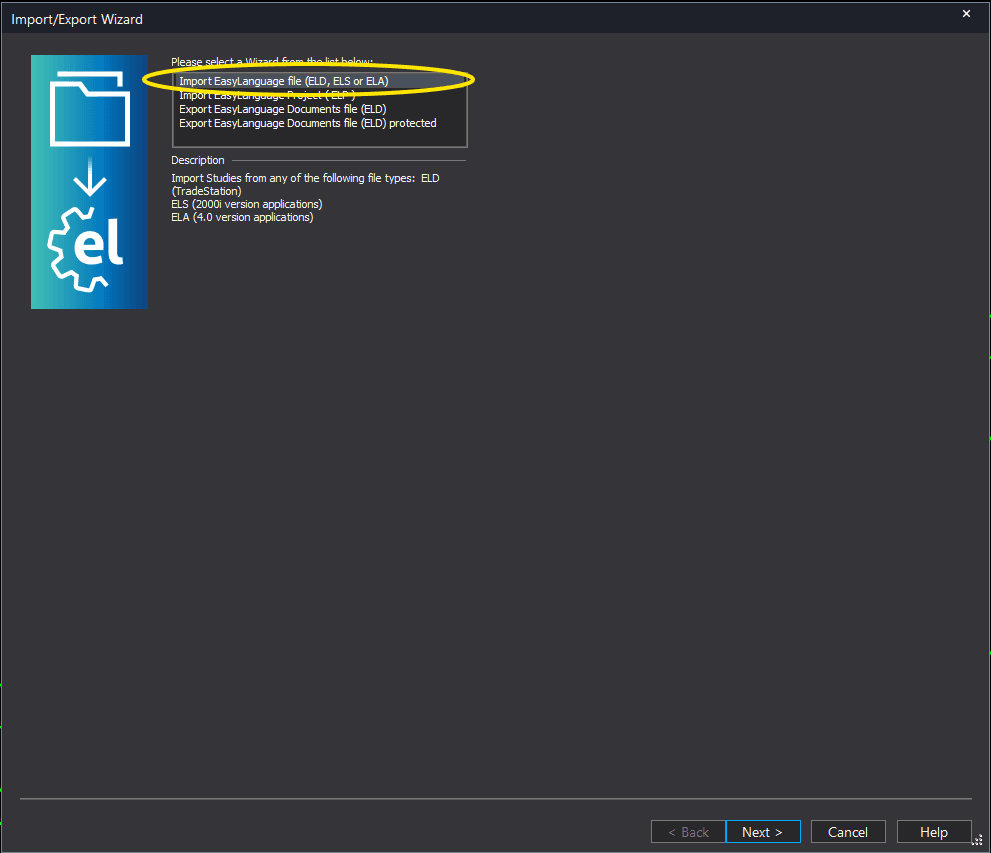
In the Import/Export Wizard, select "Import EasyLanguage file (ELD, ELS or ELA)" from the list. Click Next to continue.
Step 4: Browse for the file
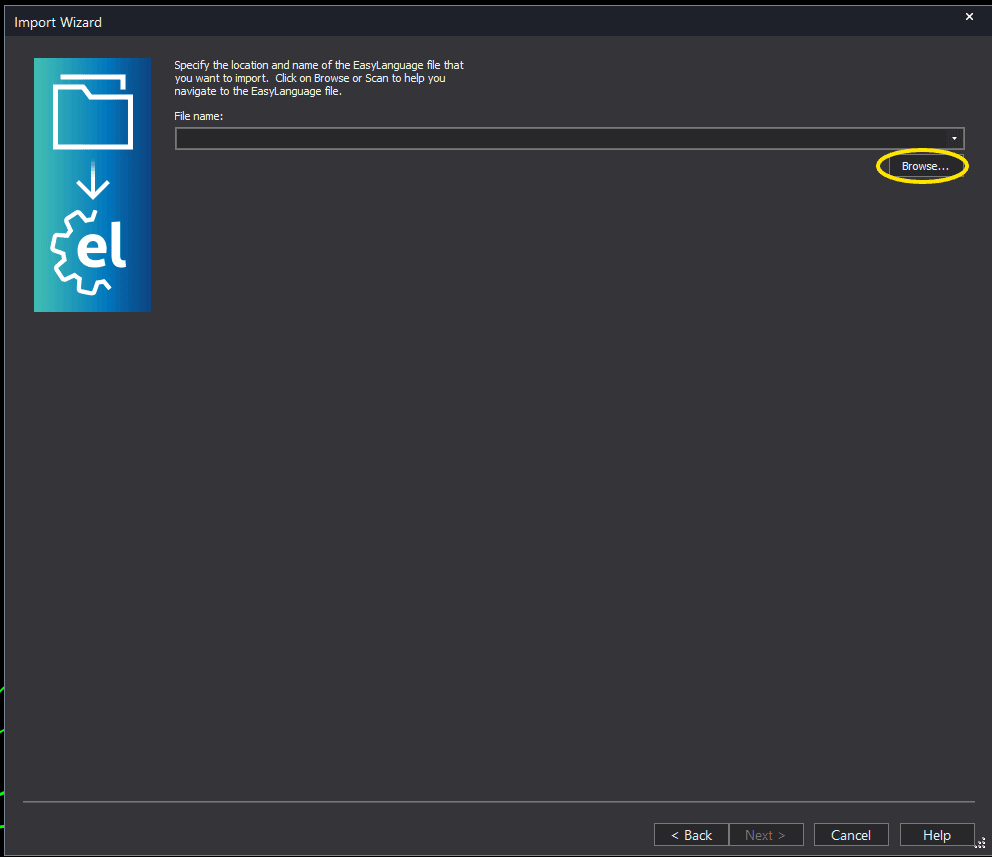
Click the Browse button to open a file browser where you can locate your downloaded .ELD file.
Step 5: Select and open the file
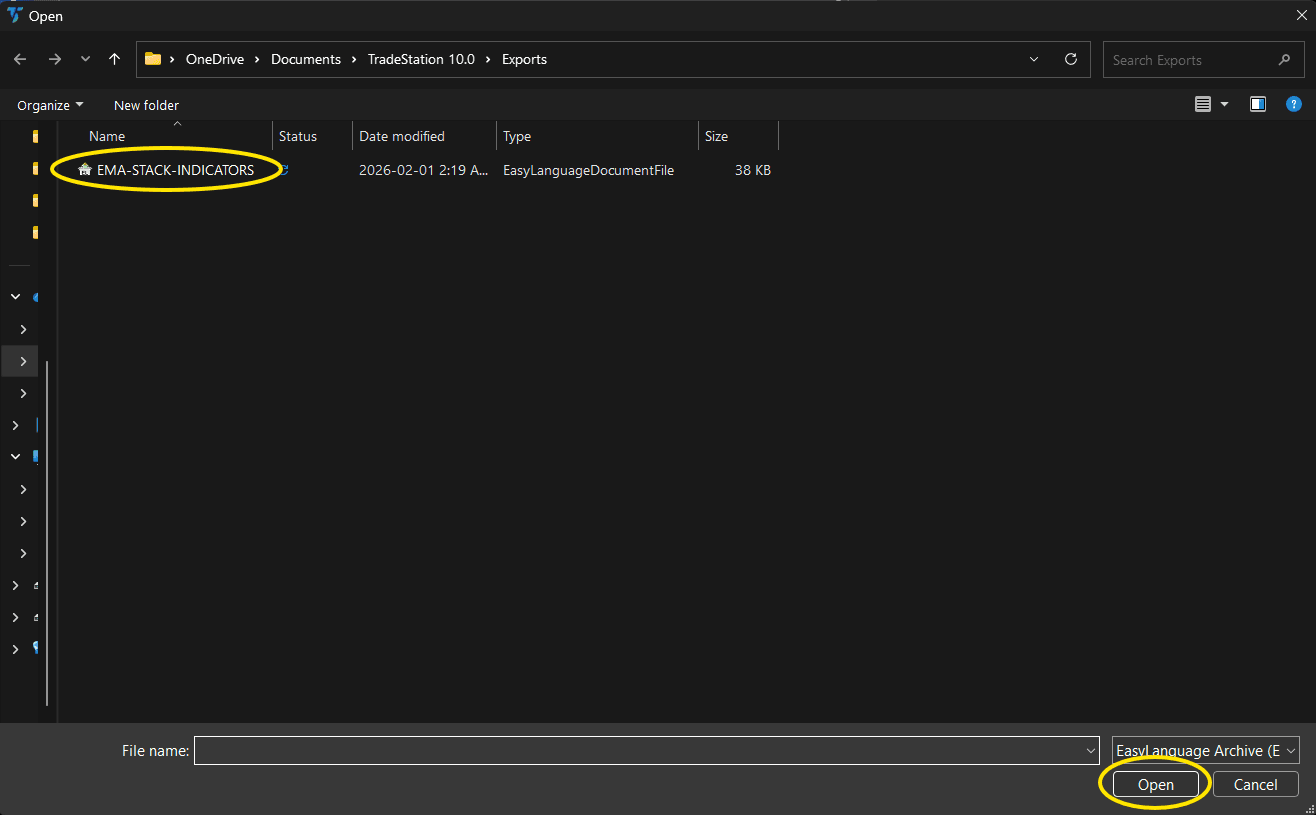
Navigate to the folder where you saved the .ELD file. Select displacement-candle-chart.eld and click Open. The file name shown may differ from the screenshot — look for your downloaded indicator file.
Step 6: Open the Studies menu
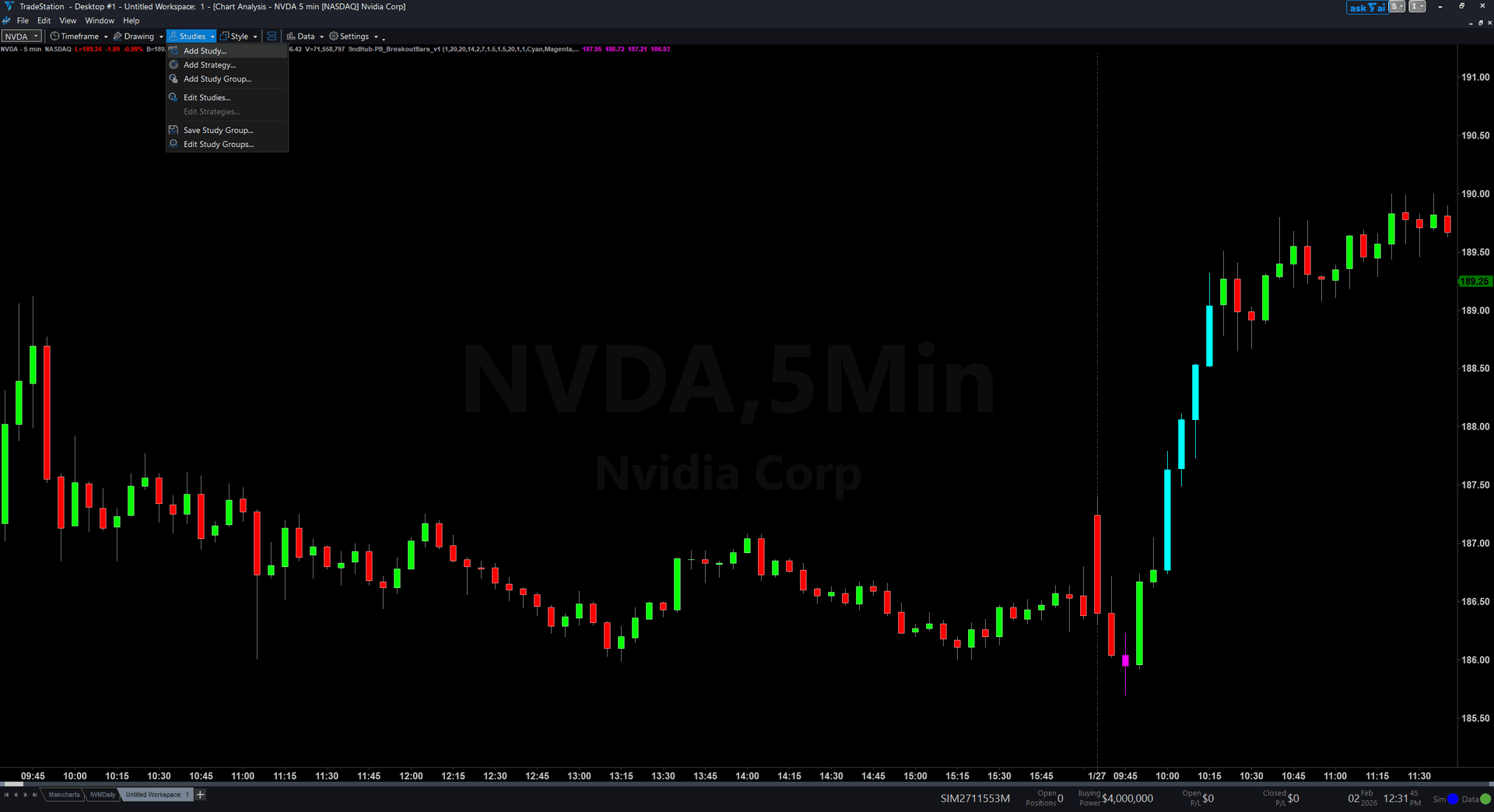
On your chart, click the Studies dropdown in the toolbar and select Add Study.
Step 7: Select the indicator
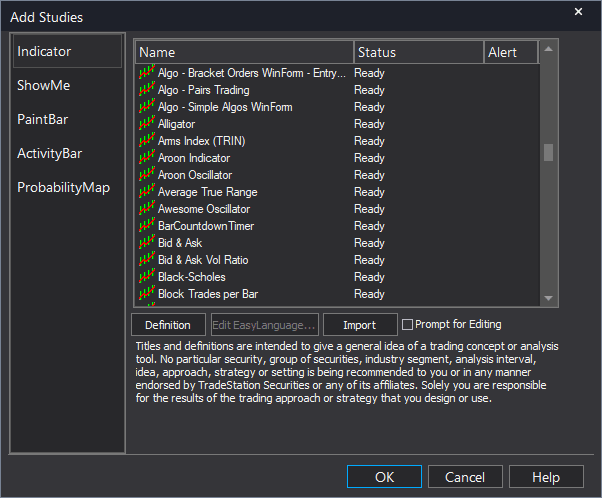
In the Add Studies dialog, make sure the Indicator tab is selected on the left side. Find "!IndHub-Displacement_Chart_v1" in the list, select it, and click OK to apply.
Step 8: Configure settings (optional)
Right-click anywhere on the chart, go to Studies > Edit Studies..., select the indicator, and click the Inputs tab. Key inputs: MinBodyATR (default 1.5, minimum body size as ATR multiple), MinBodyRatio (default 0.7, minimum body-to-range ratio), MaxZoneAge (default 100 bars), RequireVolSpike (default false), ShowBullish/ShowBearish (toggle sides), ShowMidpoint (toggle 50% line), BullColor/BearColor (zone colors).
Common Issues
I see very few displacement zones on my chart. Is the indicator too strict?
The dual qualification (both MinBodyATR AND MinBodyRatio) is intentionally strict to ensure only genuine institutional impulse candles are detected. If you want more signals, reduce MinBodyATR to 1.2 or MinBodyRatio to 0.6. Be aware that lowering thresholds will include weaker candles that may not carry the same institutional significance. The rarity of signals is a feature — each displacement zone has high conviction.
What is the difference between MinBodyATR and MinBodyRatio? Why do I need both?
MinBodyATR measures absolute body size relative to ATR — it catches candles that are large relative to recent volatility. MinBodyRatio measures body proportion — what percentage of the candle is body vs wicks. A candle can be large (high ATR multiple) but indecisive (long wicks, low ratio), or it can be proportional (high ratio) but small (low ATR multiple). The dual filter ensures the candle is both large AND committed — the hallmark of genuine institutional order flow.
Can I use displacement zones alongside Fair Value Gaps or Order Blocks?
Yes. Displacement candles, FVGs, and OBs are complementary concepts. Displacement candles are often the impulse move that creates an FVG (the gap in the 3-candle pattern) and that follows an OB (the accumulation before the move). Apply all three indicators to see the complete institutional footprint: where they accumulated (OB), how they moved (displacement), and where imbalance remains (FVG).
Zones disappear suddenly. Is the indicator repainting?
No. Zones are removed for two reasons: mitigation (price closed through the zone in the opposite direction) or expiration (the zone exceeded MaxZoneAge bars). Both are expected behavior. Increase MaxZoneAge if you want zones to persist longer.
For additional help, contact support.